How to Deploy Apache Kafka with Strimzi on Kubernetes Engine as an Azure Event Hubs Alternative
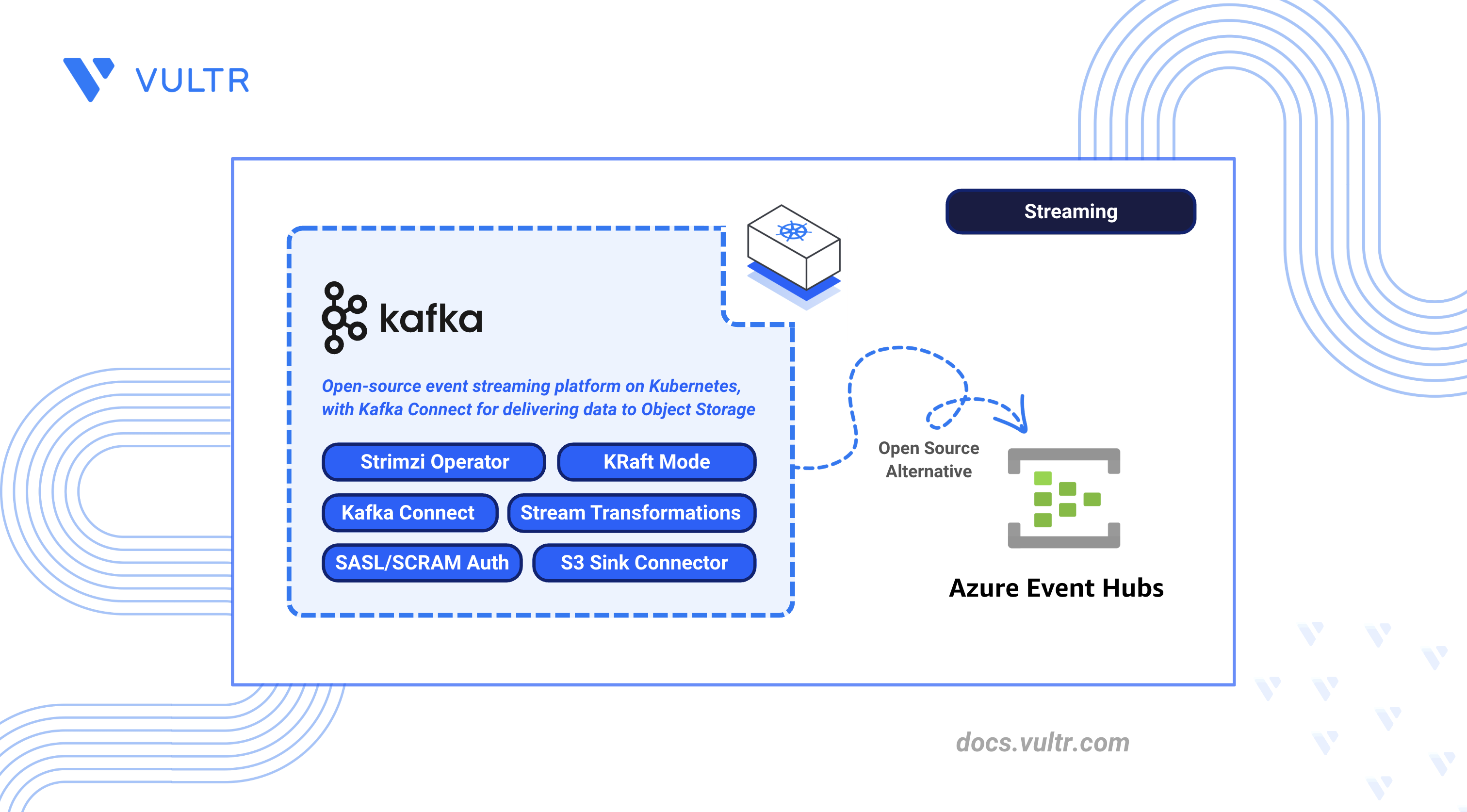
Azure Event Hubs is a fully managed event streaming platform for ingesting and processing high volumes of real-time events. It provides partitioned event streams, consumer groups, configurable retention, Event Hubs Capture, and integrations with services such as Azure Functions and Stream Analytics. In the Standard, Premium, and Dedicated tiers, Event Hubs also exposes a Kafka protocol endpoint, so existing Kafka producers and consumers can connect with configuration changes instead of code changes. Apache Kafka is an open source distributed event streaming platform designed for high-throughput, fault-tolerant messaging with persistent storage and event replay. Kafka Connect is a Kafka component for scalably and reliably streaming data between Kafka and external systems through reusable connectors. Strimzi provides Kubernetes operators that deploy and manage Kafka clusters through custom resources defined by Custom Resource Definitions (CRDs). Together, these tools offer a self-hosted alternative to Azure Event Hubs with greater control over infrastructure, destinations, and data transformations.
This article explains how to deploy Apache Kafka with Strimzi on Kubernetes as an alternative to Azure Event Hubs. It covers installing the Strimzi operator, deploying a Kafka cluster in Kafka Raft (KRaft) mode, and configuring Kafka Connect with an S3 sink connector for Object Storage. It also covers stream transformations with Single Message Transforms (SMTs), authentication and encryption, monitoring with Prometheus and Grafana, and migration from Azure Event Hubs.
Understanding Kafka and Kafka Connect Architecture
A self-hosted Kafka and Kafka Connect deployment provides a counterpart for most Azure Event Hubs components, although some mappings are approximate. Azure Event Hubs exposes a Kafka-compatible protocol endpoint alongside Advanced Message Queuing Protocol and HTTPS endpoints, and its core concepts align with Kafka: an event hub corresponds to a Kafka topic, and both platforms use partitions, consumer groups, and offsets.
The Kafka with Strimzi architecture consists of:
- Kafka brokers: Servers that store topic partitions, replicate them to other brokers, and serve producer and consumer requests. Strimzi manages broker and controller pods through StrimziPodSet resources instead of Kubernetes StatefulSets, which lets it manage each pod and its persistent volume individually.
- KRaft mode: Kafka's built-in Raft-based consensus protocol, in which a quorum of controller nodes manages cluster metadata. KRaft replaces Apache ZooKeeper, which Kafka 4.0 and later no longer support.
- Kafka Connect: Framework for running source connectors, which import data into Kafka, and sink connectors, which export data from Kafka to external systems. Connect runs as a cluster of worker processes, and each connector splits its work into tasks that the workers run in parallel.
- Strimzi operators: The Cluster Operator deploys and manages Kafka clusters, node pools, and Kafka Connect clusters. The Topic Operator and User Operator, which run together in the Entity Operator pod, manage
KafkaTopicandKafkaUserresources. - Schema registry: Optional separate service, such as Apicurio Registry or Confluent Schema Registry, that stores Avro, JSON Schema, and Protobuf schemas for structured data formats. Strimzi does not deploy a schema registry, and this article does not use one.
Prerequisites
Before you begin, you need to:
- Deploy a Kubernetes cluster running Kubernetes 1.32 or later, with at least 3 worker nodes and enough memory to run Kafka, Kafka Connect, Prometheus, and Grafana concurrently (8 GB RAM per node recommended).
- Install and configure kubectl with cluster access.
- Install Helm 3.
- Provision an Object Storage subscription with an S3-compatible API and create a bucket for the connector to write to.
- Provision a container registry to host the custom Kafka Connect image.
Install the Strimzi Kafka Operator
The Strimzi Cluster Operator watches Strimzi custom resources and automatically creates and manages the underlying Kubernetes resources, such as StrimziPodSets, Services, and ConfigMaps. This article uses Strimzi 1.3.1, which serves only the kafka.strimzi.io/v1 API and requires Kubernetes 1.32 or later.
Add the Strimzi Helm repository.
CONSOLEUpdate the Helm repository cache.
CONSOLECreate a dedicated namespace for Kafka resources.
CONSOLEInstall the Strimzi Kafka operator. The
--versionflag pins the operator and its CRDs to Strimzi 1.3.1, which matches thekafka.strimzi.io/v1manifests used throughout this article. By default, the operator watches only the namespace it is installed in, which is where every resource in this article runs.CONSOLEVerify that the operator pod is running.
CONSOLEThe output displays a pod named
strimzi-cluster-operator-*with statusRunning.Verify that the CRDs are installed.
CONSOLEThe output lists CRDs including
kafkas.kafka.strimzi.io,kafkanodepools.kafka.strimzi.io,kafkatopics.kafka.strimzi.io,kafkaconnects.kafka.strimzi.io, andkafkausers.kafka.strimzi.io.
Deploy Kafka Cluster
In KRaft mode, Kafka manages its own metadata quorum and does not depend on ZooKeeper. Strimzi models this with KafkaNodePool resources, each of which defines a group of nodes that act as brokers, controllers, or both. KRaft mode with node pools is the only deployment mode in Strimzi 1.x, so the Kafka resource needs no annotations to enable it.
Create the KafkaNodePool manifest for the controller and broker nodes.
CONSOLEAdd the following configuration.
YAMLSave and close the file.
In this configuration:
controllerpool: Three nodes that participate in the KRaft quorum for metadata management.brokerpool: Three nodes that store topic partitions and serve client traffic.roles: Defines whether each node acts as a controller, broker, or both. Use separate controller and broker roles in production, because Kafka does not recommend combined nodes for critical deployments.storage.type: persistent-claim: Uses persistent volume claims to keep data across pod restarts. The sizes above (40 GB for controllers, 50 GB for brokers) meet common block storage minimum volume sizes. Increase the broker volumes to match your topic retention and partition footprint.resources: Sets CPU and memory per node. In thev1API, node resources belong in theKafkaNodePoolresource rather than in theKafkaresource.
Apply the KafkaNodePool manifest.
CONSOLECreate the Kafka cluster manifest.
CONSOLEAdd the following configuration.
YAMLSave and close the file.
In this configuration:
version: 4.3.2: Runs Apache Kafka 4.3.2, the default Kafka version in Strimzi 1.3.1. WhenmetadataVersionis omitted, Strimzi uses the default KRaft metadata version for the configured Kafka version.listeners: Defines the ports and protocols that clients use to connect to the brokers. This configuration creates a plaintext listener on port 9092 and a Transport Layer Security (TLS) encrypted listener on port 9093. Both areinternallisteners, which are reachable only from inside the Kubernetes cluster, and neither authenticates clients. The Set Up Authentication and Encryption section replaces both with an authenticated listener.min.insync.replicas: 2: Requires at least two in-sync replicas, including the partition leader, to acknowledge a write when the producer usesacks=all. If fewer replicas are in sync, the brokers reject those writes.entityOperator: Deploys the Entity Operator, which runs the Topic Operator and User Operator that manageKafkaTopicandKafkaUserresources.
Apply the Kafka cluster manifest.
CONSOLEMonitor the cluster deployment progress.
CONSOLEWait until the
READYcolumn showsTrue. This can take several minutes while Strimzi provisions the StrimziPodSets and waits for all pods to become ready. Press Ctrl + C to stop watching.Verify that all Kafka pods are running.
CONSOLEThe output displays three controller pods, three broker pods, and entity operator pods, all with status
Running.
Create Ingestion Topics
Kafka organizes and durably stores messages in topics. Each topic is split into partitions, which Kafka distributes and replicates across the brokers. Sink connectors consume from these topics, so create the topics before you configure the connectors.
Create the KafkaTopic manifest for the main data ingestion topic.
CONSOLEAdd the following configuration.
YAMLSave and close the file.
In this configuration:
partitions: 12: Creates 12 partitions for parallel processing. Choose a partition count based on expected throughput and consumer parallelism.replicas: 3: Sets the replication factor to 3, so each partition has a leader replica and two follower replicas spread across all three brokers for fault tolerance.retention.ms: 604800000: Retains messages for 7 days (604800000 milliseconds).cleanup.policy: delete: Discards old log segments after they exceed the retention period, instead of compacting the topic by key.segment.bytes: 1073741824: Sets the maximum log segment file size to 1 GB. Kafka applies retention one segment at a time, so larger segments mean fewer files but less granular retention.
Apply the topic manifest.
CONSOLECreate additional topics for different data streams.
CONSOLEAdd the following configuration.
YAMLSave and close the file.
Apply the additional topics.
CONSOLEVerify that all topics are created.
CONSOLEThe output lists the
events,logs, andmetricstopics with their partition and replica counts.
Deploy Kafka Connect
Kafka Connect provides a framework for running connectors that stream data between Kafka and external systems. Strimzi builds a custom Connect image that includes the S3 sink connector plugin and runs the Connect workers that a KafkaConnect resource defines.
Important
This article uses the Confluent S3 Sink Connector, which is distributed under the Confluent Community License, not an open source license. The license permits self-hosted use but prohibits offering the connector as a competing managed service. If your organization requires an Apache-2.0 licensed connector, use the Aiven S3 Sink Connector (io.aiven.kafka.connect.s3.AivenKafkaConnectS3SinkConnector) instead. It uses different configuration keys, so adapt the connector configuration in this article to its documentation.
Create a Kubernetes Secret that holds your container registry credentials. Strimzi uses this Secret to push the custom Connect image, and the cluster's worker nodes use it to pull the image. Replace
REGISTRY_HOSTNAME,REGISTRY_USERNAME, andREGISTRY_PASSWORDwith values from your container registry, such as the hostname, username, and API key from the Overview tab. SetREGISTRY_HOSTNAMEto the registry host only, such asams.vultrcr.com, without thehttps://scheme and without the registry name path. The registry name belongs in the image path in a later step, not in the server value.CONSOLECreate the KafkaConnect manifest with the S3 sink connector plugin.
CONSOLEAdd the following configuration, replacing
REGISTRY_HOSTNAMEwith your registry hostname andREGISTRY_NAMESPACEwith your registry name or project path.YAMLSave and close the file.
In this configuration:
annotations.strimzi.io/use-connector-resources: Enables managing connectors through KafkaConnector resources instead of the Kafka Connect REST API.version: 4.3.2: Runs Kafka Connect from the same Kafka release as the brokers.replicas: 2: Deploys two Connect workers for high availability and load distribution.bootstrapServers: Points to the Kafka cluster's internal bootstrap service.groupId,offsetStorageTopic,configStorageTopic,statusStorageTopic: Set the Connect cluster's group ID and the internal topics that store connector offsets, configurations, and status. Thev1API requires these fields and rejects the equivalentgroup.idand*.storage.topickeys underconfig.template.pod.imagePullSecrets: Lets the worker pods pull the built image from the private container registry.build: Builds a custom Connect image with the S3 sink connector plugin and pushes it to the configured container registry. Strimzi 1.3.1 runs the build with Buildah. Thesha512sumfield makes the build fail if the downloaded archive does not match the published connector version 12.1.16.
Apply the KafkaConnect manifest.
CONSOLEMonitor the build and deployment progress.
CONSOLEWait until the
READYcolumn showsTrue. The initial build may take several minutes. Press Ctrl + C to stop watching.Verify that the Connect worker pods are running.
CONSOLEThe output displays two Connect worker pods with status
Running.Check the available connector plugins. Strimzi records the plugins that the Connect workers load in the status of the
KafkaConnectresource.CONSOLEThe output includes
io.confluent.connect.s3.S3SinkConnector, confirming that the S3 plugin is installed.
Configure S3-Compatible Sink Connector
A sink connector reads records from Kafka topics and writes them to an external system. The S3 sink connector writes them to S3-compatible object storage. Storing credentials in a Kubernetes Secret and non-sensitive settings (bucket name, region, endpoint) in a ConfigMap keeps the connector manifests free of environment-specific values.
Create a Kubernetes Secret with object storage credentials. Replace
OBJECT_STORAGE_ACCESS_KEYandOBJECT_STORAGE_SECRET_KEYwith your S3-compatible access credentials.CONSOLECreate a Kubernetes ConfigMap with the bucket and endpoint settings. Replace
OBJECT_STORAGE_BUCKET,OBJECT_STORAGE_REGION, andOBJECT_STORAGE_ENDPOINTwith values from your object storage provider. SetOBJECT_STORAGE_ENDPOINTto the hostname only, withouthttps://.CONSOLEOpen the KafkaConnect manifest to expose the Secret and ConfigMap values as environment variables on the Connect worker pods.
CONSOLEAdd the following
connectContainerblock under the existingspec.templateblock, at the same indentation as thepodblock already present there.YAMLSave and close the file.
The Strimzi operator injects each value as an environment variable into the Connect worker container. Connector configurations reference these variables with the
${strimzienv:VAR_NAME}syntax. Strimzi registers thestrimzienvconfig provider on every Connect worker, backed by the Apache Kafkaorg.apache.kafka.common.config.provider.EnvVarConfigProviderclass.Apply the updated KafkaConnect configuration.
CONSOLEWait for the Connect cluster to roll the worker pods.
CONSOLECreate the S3 sink connector manifest. Later sections edit this same file to add transformations and tune batching, so a single connector archives each record once.
CONSOLEAdd the following configuration.
YAMLSave and close the file.
In this configuration:
tasksMax: 3: Allows the connector to run up to three tasks, which split the topic partitions between them for parallel processing.s3.bucket.name,s3.region,store.url: Resolved at runtime from theS3_BUCKET,S3_REGION, andS3_ENDPOINTenvironment variables sourced from thes3-configConfigMap.aws.access.key.id,aws.secret.access.key: Resolved at runtime from theAWS_ACCESS_KEY_IDandAWS_SECRET_ACCESS_KEYenvironment variables sourced from thes3-credentialsSecret.format.class: Writes records as JSON files. Alternatives includeAvroFormatandParquetFormat.partitioner.class: TimeBasedPartitioner: Organizes files into time-based directories. The connector uses its defaultWallclocktimestamp extractor, so directories reflect the time the connector processes each record.path.format: Creates directories likeyear=2026/month=06/day=15/hour=14.flush.size: 1000: Commits a file after it accumulates 1,000 records.rotate.interval.ms: 600000: Commits a file when the timestamps of its records, as reported by the timestamp extractor, span more than 10 minutes, regardless of record count.behavior.on.null.values: ignore: Skips tombstone records, which have a null value and mark a key for deletion.
Apply the S3 sink connector.
CONSOLEVerify that the connector is running.
CONSOLEThe output shows the
s3-sink-eventsconnector withREADYstatusTrue.Check the connector status for any errors.
CONSOLEThe
Statussection shows the connector and each of its tasks in theRUNNINGstate.
Add Other Sink Connectors
Kafka Connect can deliver the same topics to destinations other than Object Storage, replacing the Azure Functions or Logic Apps that commonly forward Event Hubs data to search indexes and databases. Each destination follows the same pattern as the S3 sink: add the connector plugin to spec.build.plugins in kafka-connect.yaml, store credentials in a Secret exposed through spec.template.connectContainer.env, and create a KafkaConnector that references them with ${strimzienv:VAR_NAME}. For search, use the Confluent Elasticsearch Sink Connector or the Apache-2.0 Aiven OpenSearch Sink Connector. For relational databases, use the Confluent JDBC Sink Connector or the Apache-2.0 Aiven JDBC Connector. The Confluent connectors use the same Confluent Community License as the S3 sink.
Set Up Stream Transformations
SMTs apply lightweight, stateless modifications to one record at a time as it passes through a connector, similar to stateless transformations that an Azure Function triggered by Event Hubs performs. This section adds a transformation chain to the existing s3-sink-events connector rather than creating a second connector that would archive the same records again.
Open the S3 sink connector manifest.
CONSOLEAdd the following keys to the end of the existing
spec.configblock, at the same indentation astopics.YAMLSave and close the file.
Kafka Connect applies the transforms in the order listed in
transforms:filterNull: Drops records that match theisNullValuepredicate, which usesRecordIsTombstoneto identify Kafka tombstone records. It runs first so that the later transforms never receive a null value.addTimestamp: Inserts arecord_timestampfield that holds the Kafka record timestamp in milliseconds.addSource: Inserts a staticsourcefield set tokafka-connectfor downstream lineage.maskSensitive: Replaces the values of theemailandssnfields with[REDACTED]to prevent personally identifiable information from reaching the sink. Records that lack these fields receive them with a null value.
These transforms expect each record value to be a JSON object. A record with any other value fails the connector task until you configure error handling in the next section.
Apply the updated connector.
CONSOLEStrimzi updates the running connector in place. The connector writes the records it processes after the update with the new fields.
Configure Buffering and Batching
Tune connector flush intervals and batch sizes to balance latency and throughput, similar to configuring Event Hubs Capture time and size windows. This section tunes the same s3-sink-events connector, extends it to the logs and metrics topics, and routes records that fail to a dead-letter queue, a separate topic that stores records the connector cannot process.
Create the dead-letter queue topic manifest. Creating the topic in advance lets Strimzi manage its replication and retention settings, and the connector does not need permission to create the topic after you enable authorization.
CONSOLEAdd the following configuration.
YAMLSave and close the file. The
retention.msvalue keeps failed records for 30 days.Apply the dead-letter queue topic.
CONSOLEOpen the S3 sink connector manifest.
CONSOLEChange
spec.tasksMaxto6and replace the existingtopics,flush.size,rotate.interval.ms, ands3.part.sizevalues inspec.configwith the following.YAMLAdd the following keys to the end of the existing
spec.configblock.YAMLSave and close the file.
In this configuration:
topics: events,logs,metrics: Archives all three ingestion topics with one connector. Each topic is written under its own directory belowkafka-events/.flush.size: 10000: Commits a file after it accumulates 10,000 records.rotate.interval.ms: 900000: Commits a file when the timestamps of its records span more than 15 minutes.rotate.schedule.interval.ms: 3600000: Commits open files every hour of wall-clock time, even when no new records arrive.s3.part.size: 26214400: Uses 25 MB parts for multipart uploads.s3.part.retries,s3.retry.backoff.ms: Retry failed S3 requests up to three times with a 200 ms initial backoff.errors.tolerance: all: Skips records that fail conversion or transformation instead of failing the connector task.errors.deadletterqueue.topic.name: Routes failed records to thedlq-s3-sinktopic for later analysis.
Apply the updated connector.
CONSOLEVerify that the connector is ready.
CONSOLEThe
READYcolumn showsTrueand theMax Taskscolumn shows6.
Set Up Authentication and Encryption
Configure SASL authentication with SCRAM and TLS encryption to secure Kafka communication, replacing the SAS and Microsoft Entra ID-based authentication and authorization in Azure Event Hubs. SCRAM is a SASL mechanism that authenticates clients with a username and password without sending the password in plaintext, and ACLs define which operations each user can perform on topics, consumer groups, and other resources. Enable the Kafka authorizer on the cluster so that Kafka enforces the ACL rules in each KafkaUser, then remove the unauthenticated listeners.
Open the Kafka cluster manifest to add a TLS-protected SASL listener and enable authorization.
CONSOLEAdd an
authorizationblock underspec.kafka, at the same indentation as the existinglistenersandconfigkeys.YAMLAdd the following
sasllistener entry to the existingspec.kafka.listenerslist, below thetlsentry.YAMLSave and close the file.
In this configuration:
authorization.type: simple: Enables Kafka's built-in ACL authorizer. Without this block, the User Operator rejects anyKafkaUserthat declares ACL rules.sasllistener: Adds a TLS-encrypted listener on port 9094 that authenticates clients with SCRAM-SHA-512 credentials.
Apply the updated Kafka cluster configuration.
CONSOLEThe output displays
kafka.kafka.strimzi.io/kafka-cluster configured.Wait for the rolling update to finish.
CONSOLECreate the KafkaUser manifest.
CONSOLEAdd the following configuration.
YAMLSave and close the file.
The
connect-prefix ACLs on topics and consumer groups cover the Connect cluster's internal topics, itsconnect-clustergroup, and the consumer group that Kafka Connect creates for each sink connector, named after the connector (for example,connect-s3-sink-events). Theoperationslist is the only form thev1API accepts.Apply the KafkaUser.
CONSOLEVerify that the user is ready.
CONSOLEThe output shows
Trueunder theREADYcolumn after the User Operator reconciles the user and generates aconnect-userSecret with its credentials.Note
To connect a client that runs outside the cluster, retrieve the plaintext SCRAM password from the generated Secret with
kubectl get secret connect-user -n kafka -o jsonpath='{.data.password}' | base64 -d. In-cluster components such as KafkaConnect read the password directly from the Secret, so you do not need this value elsewhere in this article.Open the KafkaConnect manifest to switch Connect to SASL authentication.
CONSOLEChange the existing
spec.bootstrapServersvalue from port9092to the SASL listener on port9094.YAMLAdd the following
tlsandauthenticationblocks underspec, at the same indentation asbootstrapServers.YAMLSave and close the file.
Apply the updated KafkaConnect configuration.
CONSOLEThe output displays
kafkaconnect.kafka.strimzi.io/kafka-connect configured.Wait for the worker pods to roll onto the new SASL/TLS configuration.
CONSOLEIf the command times out, run
kubectl get pods -n kafka -l strimzi.io/cluster=kafka-connectto check whether the worker pods are still restarting before you troubleshoot further.Open the Kafka cluster manifest to remove the unauthenticated listeners. After you enable
simpleauthorization, clients that connect to theplainortlslistener have no identity, and Kafka rejects their requests because no ACL grants them access. Removing these listeners closes ports that no longer serve any client.CONSOLEDelete the
plainandtlsentries from thespec.kafka.listenerslist, so that only thesaslentry remains.YAMLSave and close the file.
Apply the updated Kafka cluster configuration.
CONSOLEThe output displays
kafka.kafka.strimzi.io/kafka-cluster configured.Wait for the rolling update to finish.
CONSOLEFrom this point, every client must connect to port
9094with SCRAM-SHA-512 credentials over TLS. Strimzi's own components, such as the Entity Operator, use a separate internal replication listener and are not affected.
Configure Monitoring
Prometheus, an open source monitoring system, scrapes and stores the Kafka, Kafka Connect, and consumer lag metrics that Strimzi exposes, and Grafana visualizes them, replacing Azure Monitor metrics for Event Hubs. Kafka Exporter adds consumer lag metrics. Consumer lag is the difference between the latest offset in a partition and the last offset that a consumer group committed for that partition.
Download the Strimzi 1.3.1 example metrics file for Kafka. It contains example Strimzi resources and a ConfigMap with the rules that the Prometheus JMX Exporter uses to convert Kafka's Java Management Extensions (JMX) metrics into Prometheus format.
CONSOLEThe command saves
kafka-metrics.yamlin the current directory.Download the example metrics file for Kafka Connect. It contains the same kind of ConfigMap with the JMX Exporter rules for Kafka Connect.
CONSOLEThe command saves
kafka-connect-metrics.yamlin the current directory.Apply only the ConfigMaps from the downloaded files. The
-l app=strimziselector matches thekafka-metricsandconnect-metricsConfigMaps and skips the exampleKafka,KafkaNodePool, andKafkaConnectresources in the same files.CONSOLEVerify that both ConfigMaps exist.
CONSOLEThe output lists both ConfigMaps. Confirm that the command did not create a
my-clusterormy-connect-clusterresource by runningkubectl get kafka,kafkaconnect -n kafka, which lists onlykafka-clusterandkafka-connect.Open the Kafka cluster manifest to enable the metrics exporter and Kafka Exporter.
CONSOLEAdd the following
metricsConfigblock underspec.kafka, at the same indentation aslisteners.YAMLAdd the following
kafkaExporterblock underspec, at the same indentation asentityOperator.YAMLSave and close the file.
In this configuration:
metricsConfig: Runs the Prometheus JMX Exporter in each broker and controller pod with the rules from thekafka-metricsConfigMap.kafkaExporter: Deploys Kafka Exporter, which reports consumer group offsets and lag for every topic and group that matchestopicRegexandgroupRegex. Narrow the expressions to reduce metric volume on clusters with many topics.
Apply the updated Kafka cluster configuration.
CONSOLEThe output displays
kafka.kafka.strimzi.io/kafka-cluster configured.Wait for the rolling update to finish.
CONSOLEThe command reports that
kafka.kafka.strimzi.io/kafka-clustermet theReadycondition after the brokers and controllers restart with the metrics exporter and the Kafka Exporter pod starts.Open the KafkaConnect manifest to enable Connect metrics.
CONSOLEAdd the following
metricsConfigblock underspec, at the same indentation asbootstrapServers.YAMLSave and close the file.
Apply the updated KafkaConnect configuration.
CONSOLEThe output displays
kafkaconnect.kafka.strimzi.io/kafka-connect configured.Wait for the worker pods to roll.
CONSOLEStrimzi now exposes Prometheus metrics on port
9404of each broker, controller, Connect worker, and Kafka Exporter pod. The next steps deploy the Prometheus Operator and create aPodMonitorthat scrapes those endpoints directly, because the pods expose this port but the Kafka Services do not. ThePodMonitorresource depends on themonitoring.coreos.com/v1CRD that the Prometheus Operator installs.Add the Prometheus Community Helm repository.
CONSOLEUpdate the Helm repository cache.
CONSOLEInstall the kube-prometheus-stack. Replace
GRAFANA_ADMIN_PASSWORDwith a strong password for the Grafanaadminuser.CONSOLEThe
podMonitorSelectorNilUsesHelmValues=falsesetting allows Prometheus to discoverPodMonitorresources outside the Helm release, including the KafkaPodMonitoryou create in the next steps.Wait for the Grafana pod to become ready.
CONSOLEThe output reports that the Grafana pod met the
Readycondition.Wait for the Prometheus pod to become ready.
CONSOLEIf Grafana remains in
ErrororCrashLoopBackOff, inspect the pod withkubectl describe pod -l app.kubernetes.io/name=grafana -n monitoringand increase memory limits or add a node with more capacity.Create the PodMonitor manifest that tells Prometheus to scrape Kafka metrics. A PodMonitor is required instead of a ServiceMonitor because Strimzi exposes the
tcp-prometheusmetrics port directly on the pods. The headless*-kafka-brokersService it generates does not include that port.CONSOLEAdd the following configuration.
YAMLSave and close the file.
The
matchExpressionsselector matches the broker, controller, and Kafka Exporter pods that belong to theKafkaresource, and the worker pods that belong to theKafkaConnectresource.Apply the PodMonitor.
CONSOLEVerify that the PodMonitor exists.
CONSOLEThe output lists the
kafka-resources-metricsPodMonitor.Port-forward the Prometheus UI to confirm that Prometheus discovered the scrape targets.
CONSOLEOpen
http://localhost:9090/targetsin a web browser and confirm that thekafka-resources-metricsendpoints appear as UP. Press Ctrl + C to stop the port-forward.Access Grafana using port-forwarding.
CONSOLEOpen
http://localhost:3000in a web browser and log in with usernameadminand the password you set inGRAFANA_ADMIN_PASSWORD.Navigate to Connections in the left-side menu, select Data sources, and confirm that a Prometheus data source is listed. The kube-prometheus-stack chart provisions it automatically through a Grafana sidecar, but this provisioning can fail silently. If a Prometheus data source already appears, continue to the next step.
If no Prometheus data source is present, click Add new data source and select Prometheus. Set the Prometheus server URL to the in-cluster Prometheus service, then scroll to the bottom and click Save & test. Verify that Grafana reports that the data source is working.
Download the Strimzi 1.3.1 Kafka dashboard definition. The grafana-dashboards folder contains additional dashboards, such as
strimzi-kraft.jsonfor the controller quorum.CONSOLEThe command saves
strimzi-kafka.jsonin the current directory.Download the Kafka Connect dashboard definition.
CONSOLEThe command saves
strimzi-kafka-connect.jsonin the current directory.Download the Kafka Exporter dashboard definition.
CONSOLEThe command saves
strimzi-kafka-exporter.jsonin the current directory.In Grafana, click the + icon in the top-right corner and select Import dashboard. Under Upload dashboard JSON file, drag in or browse to
strimzi-kafka.json, or paste its contents into the Import via dashboard JSON model field. Click Load.In the import screen, set the Prometheus data source selector to the Prometheus data source you verified earlier, then click Import.
The dashboard populates after Prometheus scrapes the
kafka-resources-metricstargets.Repeat the import for
strimzi-kafka-connect.jsonandstrimzi-kafka-exporter.json. The Kafka Exporter dashboard shows consumer group lag, including the lag of theconnect-s3-sink-eventsgroup that the S3 sink connector uses.
Verify the Deployment
Validate the complete deployment by testing end-to-end data flow from a producer through Kafka to the S3 sink. The Kafka cluster now requires SASL/SCRAM authentication over TLS, so the test client uses the connect-user credentials and the cluster CA certificate.
Verify that the connector and all its tasks are running.
CONSOLEThe
READYcolumn showsTrue. If any task reportsFAILED, inspect the connector and task states withkubectl get kafkaconnector s3-sink-events -n kafka -o jsonpath='{.status.connectorStatus}'.Create a client pod manifest that mounts the cluster CA certificate and exposes the SCRAM password as an environment variable.
CONSOLEAdd the following configuration.
YAMLSave and close the file. The
quay.io/strimzi/kafka:1.3.1-kafka-4.3.2image contains the Kafka 4.3.2 command-line tools that match the cluster version.Apply the client pod manifest.
CONSOLEThe output displays
pod/kafka-client created.Wait for the client pod to become ready.
CONSOLEGenerate the client properties file inside the pod with the SASL credentials and the cluster truststore path. Use
/bin/bash -lcso the pod'sPASSWORDenvironment variable expands inside the container rather than in your local shell.CONSOLEProduce a batch of 10,500 test messages with the same key so they land on one topic partition and cross the connector's
flush.sizethreshold of 10,000 records. The connector commits a file as soon as it reaches the threshold rather than waiting for a time-based rotation.CONSOLEWait about 30 seconds for the connector to commit the batch.
List the objects in the bucket. Replace
OBJECT_STORAGE_ACCESS_KEY,OBJECT_STORAGE_SECRET_KEY,OBJECT_STORAGE_REGION,OBJECT_STORAGE_ENDPOINT, andOBJECT_STORAGE_BUCKETwith the values from yours3-credentialsSecret ands3-configConfigMap.CONSOLEThis command runs the AWS CLI in a temporary pod, so no local installation is required. The output displays JSON files organized by the time-based partitioning structure, for example
kafka-events/events/year=2026/month=06/day=25/hour=17/events+0+0000000000.json.Warning
This command stores the Object Storage secret key in the pod specification while the pod exists, where anyone with read access to pods in the
kafkanamespace can view it, and in your local shell history. The--rmflag deletes the pod after the command exits. Rotate the key afterward if the cluster is shared, or browse the bucket from your Object Storage provider's web console instead.Verify the data format by downloading and inspecting one of the listed files. Replace the placeholders as before, and replace the object key with one from the previous listing. This command carries the same credential-exposure risk described in the previous step.
CONSOLEEach line is a JSON record matching the messages produced earlier, with the added
record_timestampandsourcefields and withemailandssnset to null.Verify topic delivery by consuming directly from Kafka. Pass
--group verify-groupso the consumer joins the group authorized in theconnect-userACLs.CONSOLEThe output displays the first 10 messages produced earlier, without the fields that the connector's transforms add.
Delete the client pod after verification completes.
CONSOLE
Migrate from Azure Event Hubs to Apache Kafka
Migrating from Azure Event Hubs to Apache Kafka involves mapping event hubs to Kafka topics, updating producer and consumer applications, replacing Event Hubs Capture with Kafka Connect sink connectors, and replacing Azure Functions-based processing with SMTs or Kafka Streams. Because Event Hubs already exposes a Kafka-compatible protocol endpoint, much of this migration consists of repointing existing Kafka clients at the new cluster rather than rewriting them against a different API. The guidance below assumes you completed Deploy Kafka Cluster, Deploy Kafka Connect, and Set Up Authentication and Encryption earlier in this article.
Event Hub Migration
An Azure Event Hubs namespace groups one or more event hubs behind a single managed endpoint, and each event hub is itself a partitioned stream that Kafka clients can already address as a topic. Kafka splits the archival responsibility that Event Hubs Capture handles automatically into two Strimzi resources: a KafkaTopic that holds the records and a KafkaConnector that delivers them to the destination.
- Event hub name: Create a Kafka topic corresponding to each event hub you are migrating. Use a descriptive
KafkaConnectorname for each downstream integration that you replace, such as an archival sink or a database or search sink. - Partitions: Event hub partition counts map directly to Kafka topic partition counts. Event Hubs Basic and Standard tiers do not allow changing the partition count after creation, while Premium and Dedicated tiers allow increases. Kafka allows increasing a topic's partition count through
KafkaTopic.spec.partitions, and neither platform allows decreasing it. Increasing partitions changes which partition a given key maps to, so size the partition count for your expected long-term throughput and consumer parallelism up front. - Consumer groups: Event Hubs consumer groups map directly to Kafka consumer groups. Each independent reader of a topic uses its own group ID, as before.
- Capture destination: Event Hubs Capture writes only to Azure Blob Storage or Data Lake Storage, in Avro format, based on its time and size windows. Common Capture and Azure processing patterns map to Kafka Connect as follows:
- Blob Storage / Data Lake Storage (Capture): Confluent S3 Sink Connector or the Apache-2.0 Aiven S3 Sink Connector pointed at S3-compatible Object Storage, with the output format set to JSON, Avro, or Parquet instead of Capture's fixed Avro output.
- Elasticsearch or OpenSearch reached through a Function or Logic App: An Elasticsearch or OpenSearch sink connector, as described in Add Other Sink Connectors.
- Azure SQL Database or another relational store reached through a Function: A JDBC sink connector, as described in Add Other Sink Connectors.
- Stream Analytics or Azure Functions custom HTTP or webhook outputs: An HTTP sink connector or a custom sink connector.
- Buffering: Event Hubs Capture uses a Time window of 1 to 15 minutes and a Size window of 10 MB to 500 MB, and captures when whichever threshold is hit first. Map the time window to the connector's
rotate.schedule.interval.msorrotate.interval.ms(multiply minutes by 60000) and approximate the size window withflush.size, tuned to your average record size, because the connector'sflush.sizethreshold counts records rather than bytes. Uses3.part.sizefor multipart upload chunk sizing, not as a direct Capture size equivalent.
Producer and Consumer Migration
Because Event Hubs supports Kafka producer and consumer clients at Kafka version 1.0 and later, most producer and consumer changes are limited to connection configuration rather than code:
bootstrap.servers: Change from the namespace's Kafka endpoint (NAMESPACE.servicebus.windows.net:9093) to the Strimzi cluster's bootstrap service on the SASL listener,kafka-cluster-kafka-bootstrap:9094.security.protocol/sasl.mechanism: Kafka clients typically connect to Event Hubs withSASL_SSLand eitherPLAIN(using$ConnectionStringas the username and the namespace connection string as the password) orOAUTHBEARERfor Microsoft Entra ID-based authentication. Replace this withSASL_SSLandSCRAM-SHA-512, using credentials from aKafkaUsersuch as theconnect-usercreated in Set Up Authentication and Encryption. Create a separateKafkaUserwith its own ACLs for each application in production.- Event hub name / topic: The
topicvalue producers and consumers already use for the event hub name carries over unchanged, as long as you create aKafkaTopicwith the same name on the new cluster. - Partition key: Use Kafka record keys to maintain partition affinity on the new Kafka topic. However, Event Hubs and Kafka do not guarantee identical partition-selection behavior for every producer configuration. If preserving the exact mapping of keyed records to partitions is important, validate the producer's partitioner and key-handling behavior during migration.
- Offsets: Consumers connecting to the new Kafka cluster for the first time do not have the consumer-group offsets from the Event Hubs namespace. Offsets are tracked per partition in the source service and do not transfer to an independent Kafka cluster. Configure
auto.offset.resetaccording to the migration strategy. Useearliestif the new topic already contains the historical records that should be reprocessed, orlatestif consumers should process only records arriving after the cutover.
If you need to migrate historical data from an Event Hubs namespace to the new cluster, use Kafka MirrorMaker 2, which replicates topics between Kafka-compatible clusters, against the Event Hubs Kafka endpoint, the same tool Microsoft recommends for migrating existing Kafka workloads to Event Hubs in the opposite direction.
Transform Migration
Event Hubs itself has no built-in transform step. Enrichment and filtering typically happen downstream, either in an Azure Functions Event Hubs trigger, in an Azure Stream Analytics query between the event hub and its destination, or in application code that reads and republishes events.
Kafka Connect offers two mechanisms that cover different transformation requirements:
- SMTs: Suitable for stateless, per-record operations such as renaming, inserting, or removing fields, manipulating keys and headers, and filtering records with predicates, comparable to a short Stream Analytics query or a lightweight Function. SMTs run inside the Kafka Connect worker process with no additional infrastructure. For more information, see the Apache Kafka transformations reference.
- Kafka Streams: A client library for building stream processing applications. Suitable for stateful operations, windowed aggregations, joins, and complex business logic that exceeds the SMT scope, comparable to a more elaborate Stream Analytics job or a Function with external state. Kafka Streams applications run as long-lived processes that consume from a source topic, transform records, and produce to a destination topic, which downstream applications or sink connectors can then consume.
For more information, see the Kafka Streams documentation. Event Hubs also offers public preview support for the Kafka Streams client library in the Premium and Dedicated tiers, which uses the same programming model described here.
Destination Configuration Migration
Event Hubs Capture's output settings map to Kafka Connect sink connector configuration keys as follows.
- Capture folder structure: Capture organizes blobs by namespace, event hub, partition ID, and a UTC timestamp (
{Namespace}/{EventHub}/{PartitionId}/{Year}/{Month}/{Day}/{Hour}/{Minute}/{Second}). Recreate a similar layout with the connector'stopics.dir,partitioner.class, andpath.formatsettings. For more information, see the S3 Sink Connector configuration reference. - Output format: Event Hubs Capture always writes Apache Avro, and the no-code Stream Analytics path to Data Lake Storage can additionally write Parquet. Kafka Connect's
format.classsetting supports JSON, Avro, or Parquet, so choose the format your downstream consumers already expect rather than being constrained to Avro. - Empty file behavior: By default, Capture writes an empty file when a time window closes with no new events, and you can turn this off with the option not to emit empty files. The S3 Sink Connector does not write files when there is nothing to flush. If a downstream job expects a file per interval, adjust the job before cutover.
- Error handling: Event Hubs and Capture do not expose a dedicated dead-letter path for delivery failures. Failures typically surface as service exceptions to producers or as gaps investigated through Azure Monitor. Kafka Connect's
errors.deadletterqueue.topic.namegives you an explicit topic for records the sink connector cannot process, which you can archive to Object Storage with a separate sink connector if you need failed records on disk. - Buffering: Event Hubs Capture's time and size windows map to
rotate.schedule.interval.ms,rotate.interval.ms, andflush.sizeas described under Configure Buffering and Batching.
Data Storage Considerations
For destinations with existing data that needs to be preserved:
- Storage account reuse: The S3 Sink Connector writes to S3-compatible object storage. It does not natively write to Azure Blob Storage or Azure Data Lake Storage through their standard APIs. Preserve existing Event Hubs Capture data in Azure Storage or migrate it separately if it needs to be retained alongside the new Kafka Connect output. Use a separate top-level prefix for the new output to avoid conflicts with existing Capture data.
- Historical backfill: To have Kafka Connect rewrite historical Capture records into the new storage layout or format, you must first read the existing Avro files and republish their records to the Kafka topic. A custom producer or another Avro-aware ingestion pipeline can decode the Capture files and publish the records to Kafka. The S3 Sink Connector can then consume those records and write them using the new prefix, partitioning scheme, and output format.
- File format compatibility: Confirm that downstream consumers, including data lakes, query engines, and extract, transform, load (ETL) jobs, can read the connector's output format. Existing jobs built around Event Hubs Capture's Avro files may require updates if Kafka Connect is configured to produce JSON or Parquet instead.
- Partitioning alignment: If downstream systems depend on the existing Capture directory structure, configure the connector's time-based partitioning to produce a compatible layout where practical. However, Kafka Connect's partitioning conventions are not identical to Event Hubs Capture's folder structure, so validate the resulting paths and update storage locations or catalog definitions if necessary. Matching
path.formatalone does not guarantee that existing data catalogs or queries automatically discover the new output.
Things to Take Care During Migration
Review the following operational differences before cutting production traffic over to the new deployment.
- Scaling model: Event Hubs Basic and Standard scale through TUs (1 MB/s ingress and 2 MB/s egress per TU), while Premium uses PUs and Dedicated uses CUs. Kafka Connect scales through
replicasand connectortasksMax, while the Kafka cluster scales through brokers, partitions, and storage. - Processing model: Azure Functions and Stream Analytics are managed processing services, while Kafka Streams runs as a long-lived application workload requiring provisioned compute resources. Account for the resulting operational and cost differences.
- Monitoring transition: Replace Azure Monitor metrics for Event Hubs with the Prometheus metrics and Grafana dashboards configured under Configure Monitoring. Map metrics such as
IncomingBytes,OutgoingBytes,ThrottledRequests, andCaptureBacklogto their corresponding Kafka broker, Kafka Exporter consumer lag, and connector metrics. - Delivery semantics: Event Hubs provides at-least-once delivery, and Kafka Connect generally follows an at-least-once model. Use idempotent processing or deduplication where duplicate records cannot be tolerated.
- Cost model change: Event Hubs charges based on the selected tier and its TUs, PUs, or CUs, with additional charges for features such as Capture and data transfer. Self-hosted Kafka incurs compute, storage, network, and operational costs.
- Identity translation: Replace Event Hubs SAS policies and Microsoft Entra ID access controls with Kafka authentication and
KafkaUserACLs. Kubernetes role-based access control (RBAC) separately controls access to Kafka resources through the Kubernetes API. - Throughput limits: Event Hubs throughput depends on the provisioned TUs, PUs, or CUs, with maximum publication sizes of 1 MB for Standard and Premium and 20 MB for Dedicated. Kafka throughput and maximum record size depend on cluster capacity and configurable producer, topic, and broker limits.
- Retention: Event Hubs retains events for up to 7 days on Standard and up to 90 days on Premium and Dedicated. Kafka retention is configurable through settings such as
retention.msandretention.bytes, subject to available cluster storage. - Connector licensing: The Confluent S3, Elasticsearch, and JDBC connectors use the Confluent Community License. Confirm that the license fits your use case before production rollout, or use the Apache-2.0 Aiven connectors.
Conclusion
You have deployed Apache Kafka with Strimzi on Kubernetes as a self-hosted alternative to Azure Event Hubs. The deployment includes a KRaft-mode Kafka cluster, Kafka Connect with an S3-compatible sink connector that applies SMTs and routes failed records to a dead-letter queue, SASL/SCRAM authentication with TLS encryption, and Prometheus monitoring with consumer lag metrics. For more information, see the official Strimzi documentation and the Kafka Connect documentation.


0 Comments
Be the first to comment and share your perspective with the community.