How to Commit Changes in Git
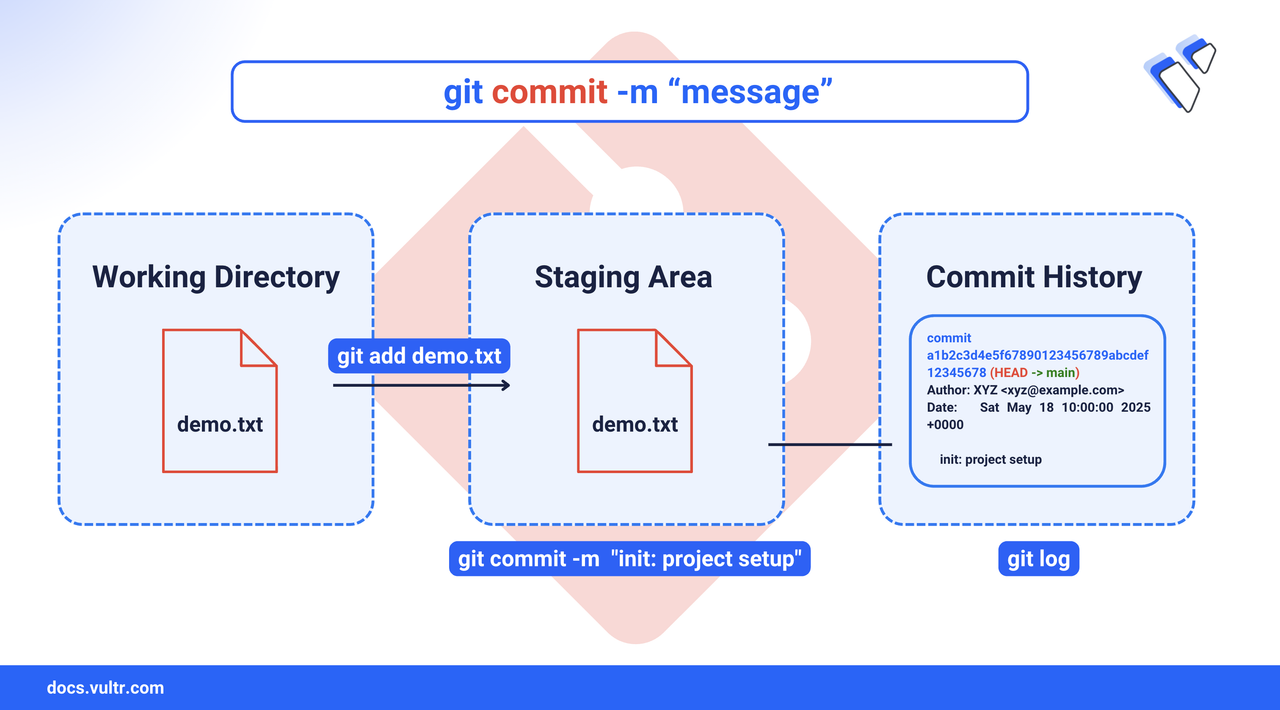
Committing changes is one of the most important actions in Git. It records the current state of your project by saving staged changes along with a message that explains what was done and why. Whether you're fixing a typo, adding a feature, or cleaning up old code, well-structured commits help you track progress, collaborate with others, and maintain a clean version history. This article covers basic commits, skipping the staging step, and amending previous commits.
The Short Answer Version
Common Options for Committing Changes
Git Commit Without Staging
The -a flag lets you commit all modified tracked files directly without staging them first. This is useful when you want to skip git add but still commit file changes.
Command Syntax
-a: Automatically stages all modified tracked files.-m: Attaches a commit message directly in the command.
Command Demonstration
Create a tracked file under Git.
CONSOLEStage the file.
CONSOLEMake an initial commit.
CONSOLEModify the file without staging.
CONSOLECommit the changes directly using
-a.CONSOLECheck your commit history.
CONSOLE
This workflow skips git add but only works on tracked files. Any new files still require staging before committing.
Update or Amend a Git Commit
You can use the --amend flag with git commit to modify your most recent commit. This is helpful for adding missing changes, fixing typos in messages, or cleaning up your commit history before pushing.
Command Syntax
--amend: Replaces the previous commit with a new one. This can modify the commit message, content, or both.-m: (Optional) Use this to supply a new message inline instead of opening your editor.
Command Demonstration
Example 1: Add a forgotten file to the last commit
Stage the missing file.
CONSOLEAmend the last commit.
CONSOLEThis opens your text editor to update the message (or keep it unchanged).
Example 2: Change the commit message without changing content
CONSOLE
This rewrites the most recent commit message without modifying the files.
Warning
Avoid amending commits that have already been pushed to a remote repository shared with others. It rewrites history and may cause conflicts for your collaborators.
Conclusion
In this article, you learned how to commit changes in Git effectively. You explored the core concepts of staging files, creating commits, skipping the staging step with -a, and updating the most recent commit using --amend. These workflows help maintain a clean, organized history and improve team collaboration.
With these techniques, you're now equipped to write clear commit messages, streamline your Git workflow, and maintain a version history that's easy to navigate and collaborate on.
Tags:Git


0 Comments
Be the first to comment and share your perspective with the community.