How to Deploy OpenFold3 on Vultr Kubernetes Engine Using VKE Application
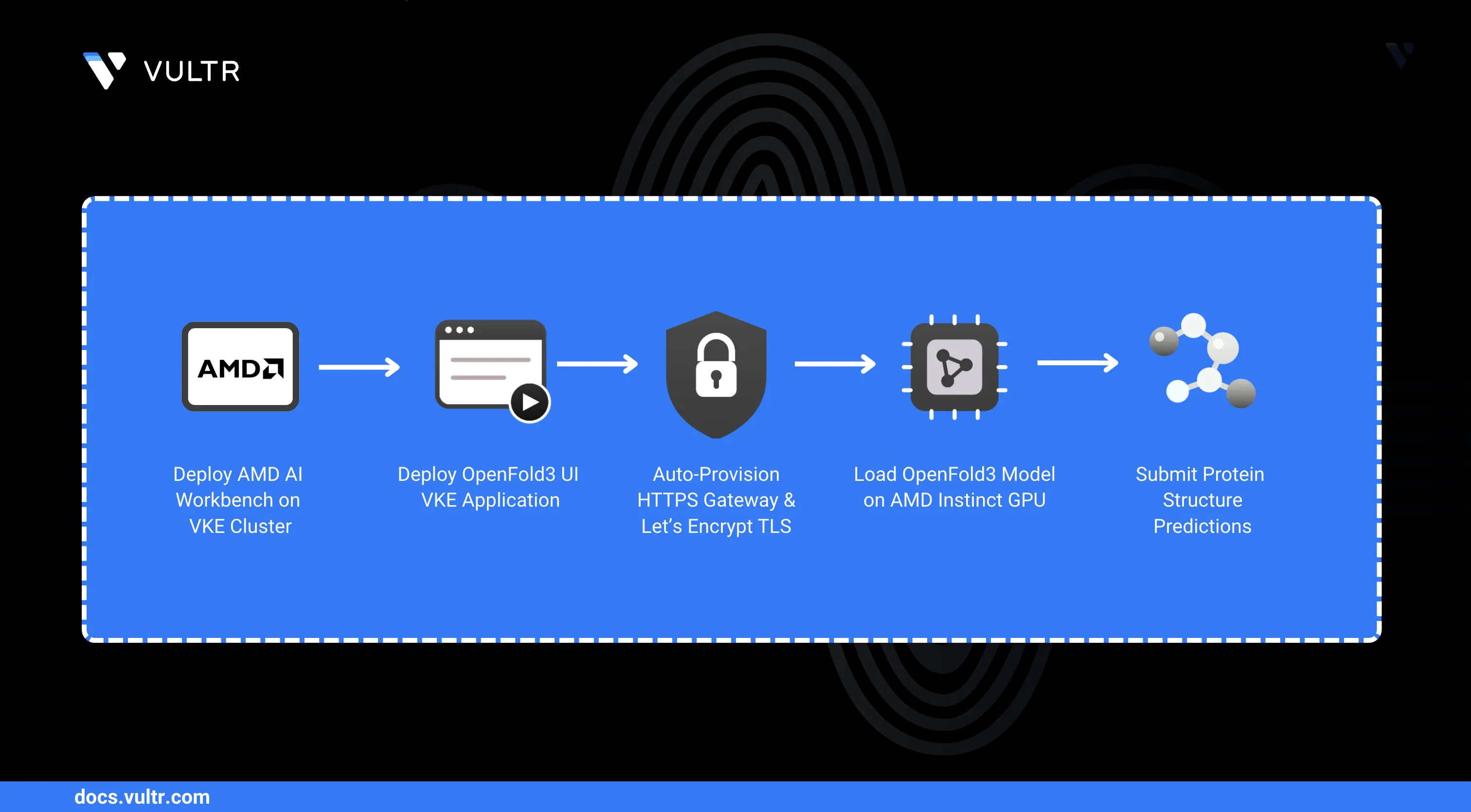
OpenFold3 is an open-source protein structure prediction model capable of predicting the 3D structure of proteins, nucleic acids, and small molecules from sequence data. The Vultr Marketplace provides a pre-configured AMD AI Workbench OpenFold3 UI application that deploys directly into a Vultr Kubernetes Engine (VKE) cluster, enabling researchers and developers to run protein structure predictions without manual infrastructure setup.
This guide explains how to deploy OpenFold3 on Vultr Kubernetes Engine using the AMD AI Workbench OpenFold3 UI VKE Application. After completing this guide, the AMD AI Workbench OpenFold3 UI is running on your cluster and accessible over HTTPS for protein structure prediction jobs.
Prerequisites
Before you begin, ensure you:
- Have deployed the AMD AI Workbench VKE Application on your cluster by following the How to Use Vultr's AMD AI Workbench VKE Application guide. The OpenFold3 UI application requires AMD AI Workbench.
- Have
kubectlconfigured on your workstation to access the cluster by following the Vultr Kubernetes Engine connection guide.
Deploy the AMD AI Workbench OpenFold3 UI Application
Deploy the AMD AI Workbench OpenFold3 UI VKE Application from the VKE Applications interface. The application deploys the OpenFold3 model using AMD Inference Microservices (AIM) on the cluster's AMD Instinct™ GPU, and a web UI to interact with the model for submitting protein structure prediction jobs.
Initiate the Deployment
Log in to the Vultr Customer Portal.
From the left navigation, click Kubernetes.
Click the name of the cluster where AMD AI Workbench is deployed.
Click the Applications tab on the cluster details page.
Click Deploy Application.
Select AMD AI Workbench - OpenFold3 UI from the available VKE Applications.
Click Deploy Now to start the application deployment.
Note
A pre-install job runs automatically before the application starts. It provisions a Let's Encrypt TLS certificate, configures a dedicated HTTPS listener on the shared gateway, and configures the OpenFold3 deployment. This process takes up to 15 minutes.
Monitor the Deployment Logs
Follow the gateway patch job logs to confirm the deployment is progressing.
Follow the pre-install job logs.
CONSOLEThe logs confirm the load balancer IP detection, gateway listener configuration, TLS certificate issuance, and the final UI hostname at the end of the output.
After the pre-install job completes, follow the inference deployment startup. The first startup downloads the OpenFold3 model weights and loads them into GPU memory. Allow 10 to 15 minutes for the inference service to become ready.
CONSOLEVerify both deployments are running.
CONSOLEThe output shows both
pfui-inferenceandpfui-uipods in theRunningstate with1/1ready.
Access the OpenFold3 UI
After both pods are running, retrieve the application URL and open the prediction interface.
Retrieve the hostname.
CONSOLEThe output displays the hostname assigned to the OpenFold3 UI, for example
openfold3-ui.192-0-2-10.nip.io.Open the URL in your browser.
Replace
[LB-IP]with the dashed form of your load balancer IP from the job logs (for example,192-0-2-10).Verify that the OpenFold3 prediction interface loads in your browser.
Enter one or more chains (protein, RNA, DNA, or ligand) in the input panel. Use the following example protein sequence to test the deployment:
TEXTSelect a Multiple Sequence Alignment (MSA) Mode for the prediction:
- None: Run prediction without multiple sequence alignment (fastest).
- ColabFold: Use the ColabFold MSA server for alignment (recommended for higher accuracy).
- Upload MSA: Upload a custom
.a3mMSA file for full control over the alignment.
Click Submit to start the prediction. The UI displays the progress and renders the predicted 3D structure when complete.
Conclusion
You have successfully deployed the AMD AI Workbench OpenFold3 UI VKE Application on a Vultr Kubernetes Engine cluster. You can now submit protein structure prediction jobs directly from the browser, backed by AMD Instinct™ GPU acceleration.


0 Comments
Be the first to comment and share your perspective with the community.