How to Deploy ClearML as an Amazon SageMaker Alternative
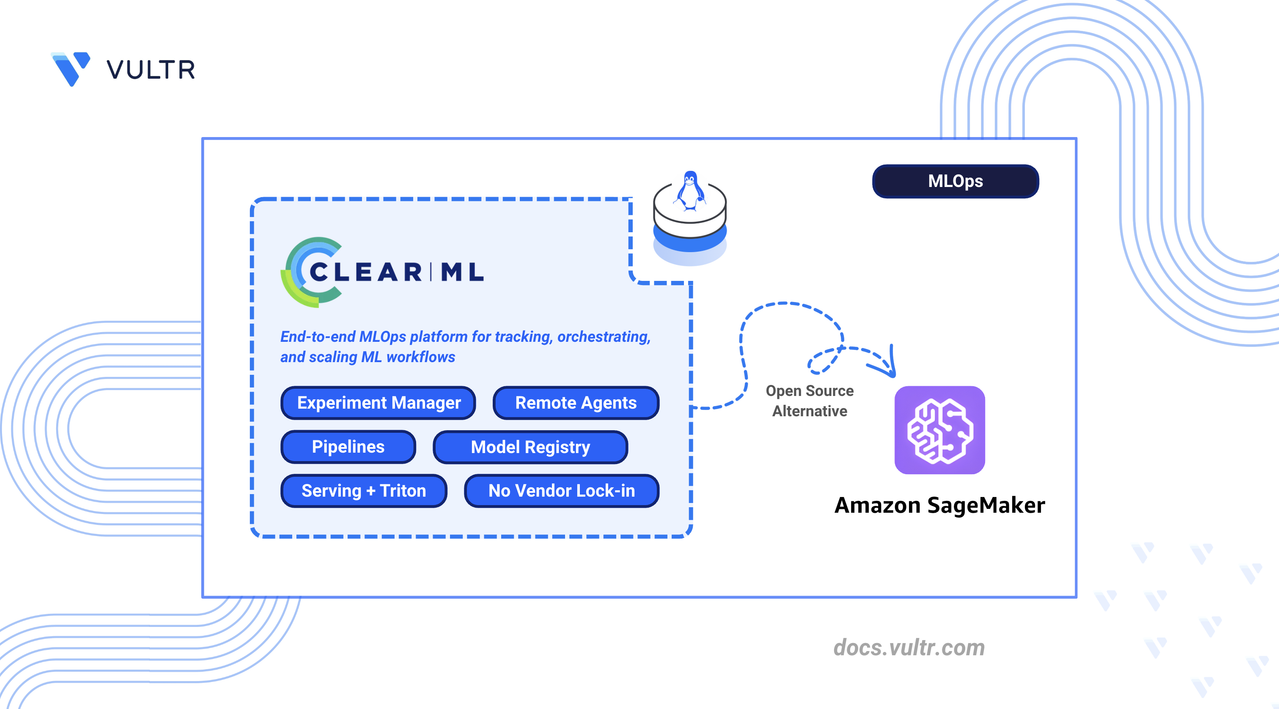
AWS SageMaker is Amazon's cloud-native machine learning platform that provides notebooks, training jobs, pipelines, a model registry, and model endpoints as hosted services within the AWS ecosystem. It abstracts infrastructure management but ties teams to AWS-specific APIs, per-instance compute billing, and Amazon's tooling.
ClearML is an open-source MLOps platform that replaces SageMaker's managed services with self-hosted components deployable on any cloud or on-premises hardware. It eliminates per-minute compute charges, removes AWS API dependencies, and automatically captures metrics, hyperparameters, and artifacts from existing training code without modification.
This article explains how to deploy ClearML Server using Docker Compose with Traefik as a reverse proxy, configure agents for remote execution, and run machine learning workflows. It covers experiment tracking, pipeline creation, hyperparameter optimization, model serving with Triton, and migration strategies from AWS SageMaker.
Understanding ClearML Architecture
ClearML maps directly to AWS SageMaker components, providing equivalent functionality through a self-hosted, cloud-agnostic platform.
The ClearML architecture consists of:
- ClearML Server: Central hub comprising the API server, web UI, and file server. Stores experiment metadata in MongoDB and Elasticsearch.
- ClearML Agent: Worker daemon that pulls tasks from queues and executes them. Runs on any machine with Python and optionally GPU support.
- ClearML SDK: Python library that instruments code for automatic logging and remote execution.
- ClearML Serving: Model deployment stack using Triton inference server for production endpoints.
Prerequisites
Before you begin, you need to:
- Have access to a Linux-based server as a non-root user with sudo privileges.
- Install Docker and Docker Compose.
- Configure DNS A records pointing to your server's IP address for the following subdomains:
app.clearml.example.com(Web UI),api.clearml.example.com(API server), andfiles.clearml.example.com(file server). - (Optional) Install the NVIDIA Container Toolkit for GPU workloads with ClearML agents.
Note
The ClearML Server does not require a GPU instance. Deploy ClearML Agents on GPU-enabled instances to handle compute-intensive training tasks.
Deploy ClearML Server with Docker Compose
ClearML Server runs as a multi-container application with Elasticsearch for indexing, MongoDB for metadata, and Redis for caching. Traefik handles HTTPS termination and routes traffic to the appropriate service.
Increase the virtual memory limit for Elasticsearch.
CONSOLEApply the sysctl configuration.
CONSOLERestart the Docker service to apply memory changes.
CONSOLECreate the directory structure for persistent storage.
CONSOLEdata/elastic_7: Elasticsearch index storagedata/mongo_4: MongoDB database filesdata/redis: Redis cache persistencedata/fileserver: Uploaded artifacts and modelslogs: Service log filesconfig: Configuration files
Set ownership to match the container user IDs.
CONSOLECreate the project directory.
CONSOLENavigate to the project directory.
CONSOLEDownload the official ClearML Docker Compose file.
CONSOLEOpen the Docker Compose file to modify port mappings and network configuration.
CONSOLELocate each
ports:block under theapiserver,webserver, andfileserverservices and comment them out by adding#at the beginning of each line. Traefik handles external routing, so direct port exposure is not needed.Locate the
networksblock at the bottom of the file and update it to use named bridge networks:YAMLSave and close the file.
Create the environment file for ClearML service URLs. Replace
clearml.example.comwith your domain.CONSOLEAdd the following configuration:
INISave and close the file.
Start the ClearML services.
CONSOLEVerify all containers are running.
CONSOLEThe output displays containers for
clearml-webserver,clearml-apiserver,clearml-fileserver,clearml-mongo,clearml-elastic, andclearml-redis.Check the logs for startup errors.
CONSOLEFor more information on managing Docker Compose stacks, see the How To Use Docker Compose article.
Configure Traefik Reverse Proxy
Traefik routes HTTPS traffic to ClearML services using subdomain-based routing. Each ClearML component receives a dedicated subdomain with automatic Let's Encrypt certificate management.
Create the Traefik directory.
CONSOLENavigate to the Traefik directory.
CONSOLECreate the Let's Encrypt storage directory.
CONSOLECreate the certificate storage file.
CONSOLERestrict the file permissions so only the owner can read and write it. Let's Encrypt requires this permission level before it writes any certificate data.
CONSOLECreate the Traefik environment file. Replace
admin@example.comwith your email address for Let's Encrypt notifications.CONSOLEAdd the following configuration:
INISave and close the file.
Create the Traefik Docker Compose file.
CONSOLEAdd the following configuration:
YAMLSave and close the file.
Create the Traefik dynamic configuration file. Replace
clearml.example.comwith your domain.CONSOLEAdd the following routing rules:
YAMLSave and close the file.
Start Traefik.
CONSOLEVerify Traefik obtained the SSL certificates.
CONSOLEThe output indicates certificate generation for each subdomain.
Configure ClearML Server
The ClearML Web UI provides initial setup and ongoing configuration management through a browser-based interface.
Open a web browser and navigate to the ClearML Web UI at
https://app.clearml.example.com.Create the administrator account on first access:
- Enter a username (for example,
admin). - Enter your company name.
- Click Create Account.
- Enter a username (for example,
Navigate to Settings in the left sidebar.
Click Workspace to view the workspace configuration.
Click Create new credentials to generate API credentials.
Copy and save the credentials block. This contains the API access key and secret key required for agent and SDK configuration.
The credentials block follows this format:
INI
Deploy ClearML Agents for Remote Execution
ClearML Agent transforms any machine into a remote worker that pulls tasks from queues and executes them with full environment reproducibility. The agent manages virtual environments, GPU allocation, and code versioning automatically.
Note
You can run the ClearML Agent on the same server as the ClearML Server or on a dedicated machine. For GPU workloads, deploy agents on GPU-enabled instances.
Create the agent directory.
CONSOLENavigate to the agent directory.
CONSOLEInstall the Python virtual environment package.
CONSOLECreate and activate a virtual environment.
CONSOLEInstall the ClearML Agent package.
CONSOLEInitialize the agent configuration.
CONSOLEThe command starts an interactive setup. When prompted:
- Paste the credentials block copied from the ClearML Web UI.
- Press Enter to accept the default output URI.
- Press Enter to skip Git username (uses SSH key authentication).
- Press Enter to skip additional artifact repository.
The agent saves the configuration to
~/clearml.conf.Start the agent in daemon mode on the
defaultqueue.CONSOLEFor GPU workloads, specify GPU indices:
CONSOLEVerify the agent registered in the ClearML Web UI by navigating to Workers & Queues and selecting the Workers tab.
Install ClearML SDK
The ClearML SDK instruments Python scripts for automatic experiment tracking, logging hyperparameters, metrics, code versions, and model artifacts without code changes.
Ensure the virtual environment is active.
CONSOLEInstall the ClearML SDK and common data science dependencies.
CONSOLEConfigure the SDK connection to your ClearML Server.
CONSOLEPaste the credentials block from the ClearML Web UI when prompted. The configuration saves to
~/clearml.conf.
Create First ClearML Experiment
ClearML tracks every script execution as a task, automatically logging hyperparameters, metrics, code changes, and artifacts. The following experiment trains a Random Forest classifier to verify the server connection and demonstrate the tracking workflow.
Create a directory for experiments.
CONSOLENavigate to the experiments directory.
CONSOLECreate the experiment script.
CONSOLEAdd the following code:
PYTHONSave and close the file.
Run the experiment.
CONSOLEThe output displays a task URL. Open the URL to view the experiment in the ClearML Web UI.
Open the ClearML Web UI and navigate to the ClearML Tutorial project to view the experiment details.
The web interface organizes experiment data into tabs:
- Execution: Source code, Git commit, installed packages, and uncommitted changes.
- Configuration: Hyperparameters, command-line arguments, and environment variables.
- Artifacts: Uploaded model files and datasets with metadata.
- Console: Real-time stdout and stderr logs.
- Scalars: Interactive charts for numerical metrics over iterations.
- Plots: Visualizations like confusion matrices and ROC curves.
Build ClearML Pipeline
ClearML Pipelines chain tasks into a Directed Acyclic Graph (DAG) where step outputs feed into downstream inputs. The pipeline controller manages execution order, caching, and data flow between steps.
Navigate to the experiments directory.
CONSOLECreate the pipeline script.
CONSOLEAdd the following code:
PYTHONSave and close the file.
Run the pipeline.
CONSOLEView the pipeline execution graph in the ClearML Web UI under the ClearML Tutorial project.
Set Up Hyperparameter Optimization
Hyperparameter Optimization (HPO) automates the search for optimal model parameters by spawning experiment variations. ClearML clones a baseline experiment, modifies parameters according to defined search ranges, and tracks each trial independently.
Navigate to the experiments directory.
CONSOLECreate the HPO script.
CONSOLEAdd the following code:
PYTHONSave and close the file.
Run the optimization.
CONSOLEMonitor the optimization progress in the ClearML Web UI under ClearML Tutorial.
Deploy Models with ClearML Serving
ClearML Serving provides model deployment with Triton inference server support. It enables production endpoints with versioning, monitoring, and automatic model updates.
Navigate to the project directory.
CONSOLEClone the ClearML Serving repository.
CONSOLEInstall the ClearML Serving package.
CONSOLECreate a serving service.
CONSOLECopy the Serving Service ID from the output for use in subsequent steps.
Open the serving environment file.
CONSOLEUpdate the configuration with your ClearML server details. Replace the placeholders with your actual values.
INIReplace:
clearml.example.comwith your domain.YOUR_ACCESS_KEYwith your ClearML API access key.YOUR_SECRET_KEYwith your ClearML API secret key.SERVING_SERVICE_IDwith the ID from the previous step.
Save and close the file.
Start the serving stack.
CONSOLEInstall the PyTorch example dependencies.
CONSOLETrain and register a sample model.
CONSOLENavigate to the task's Artifacts tab in the ClearML Web UI and copy the Model ID.
Add the model endpoint to the serving service. Replace
SERVING_SERVICE_IDandMODEL_IDwith your actual values.CONSOLERestart the serving containers to load the new endpoint.
CONSOLETest the inference endpoint. Replace
SERVER-IPwith your server's IP address.CONSOLE
Verify the Deployment
Validate the complete ClearML deployment by testing each component's functionality.
Navigate to
https://app.clearml.example.comand verify you can log in and view projects.Verify the API server responds.
CONSOLEConfirm the file server is accessible.
CONSOLENavigate to Workers & Queues in the Web UI and confirm the agent appears under the Workers tab.
Confirm the first experiment appears in the ClearML Tutorial project with metrics, artifacts, and execution details.
Clone an experiment in the Web UI, modify a hyperparameter, and enqueue it. Verify the agent picks up and executes the task.
Migrate from AWS SageMaker to ClearML
Migrating from SageMaker to ClearML shifts workflows from a cloud-locked environment to a self-hosted, infrastructure-agnostic platform.
Experiment Tracking Migration
SageMaker experiments use the sagemaker.experiments module with manual Trial Components.
- Migration: Replace
sagemaker.experimentsimports withclearml.Task. - Benefit: ClearML automatically captures Git state, uncommitted changes, and environment dependencies without explicit logging calls.
Training Job Migration
SageMaker uses Estimators to launch managed training instances.
- Migration: Replace
sagemaker.estimator.Estimatorwith ClearML Agent execution. - Workflow: Run scripts locally to verify them, then use
task.execute_remotely()or enqueue through the Web UI. Agents running on any infrastructure pick up and execute tasks.
Pipeline Migration
SageMaker Pipelines use a JSON-based DAG definition with proprietary syntax.
- Migration: Convert to ClearML
PipelineControlleror the@pipelinedecorator. - Benefit: Python-native pipelines support standard control flow (if/else, loops) and are easier to debug than SageMaker's DSL.
Model Registry Migration
SageMaker Model Registry tracks model packages with approval workflows.
- Migration: Use ClearML
OutputModelfor automatic model tracking. - Benefit: ClearML links models to source experiments with full lineage including code, hyperparameters, and training metrics.
Endpoint Migration
SageMaker Endpoints provide managed HTTPS inference services.
- Migration: Deploy with ClearML Serving and Triton inference server.
- Flexibility: Run on any infrastructure with support for canary deployments and A/B testing.
Data Storage Considerations
- S3 Integration: ClearML works with S3 paths directly. Continue using existing buckets or migrate to any object storage.
- Dataset Versioning: ClearML Data provides explicit dataset versioning with automatic caching on agents.
Things to Consider During Migration
- SDK Differences: Replace
boto3andsagemakerimports with theclearmlpackage. The API is more Pythonic with fewer configuration dictionaries. - IAM to API Keys: SageMaker uses IAM roles. ClearML uses API access keys stored in
clearml.confor environment variables (CLEARML_API_ACCESS_KEY,CLEARML_API_SECRET_KEY). - Container Adaptation: SageMaker requires specific directory structures (
/opt/ml/). ClearML agents work with standard Python environments and any Docker container. - Cost Model: SageMaker charges for managed infrastructure. ClearML is open-source; you pay only for underlying compute resources.
- Monitoring: Replace CloudWatch with ClearML's built-in Scalars, Plots, and hardware monitoring dashboards.
Conclusion
You have successfully deployed ClearML Server with Traefik reverse proxy, configured agents for remote execution, and executed machine learning workflows including experiment tracking, pipelines, hyperparameter optimization, and model serving. For more information, visit the official ClearML documentation.


0 Comments
Be the first to comment and share your perspective with the community.