How to Deploy Langfuse - Open-Source LLM Observability Platform
Updated on 04 August, 2026
Deploy Langfuse, an open-source LLM observability platform, using Docker Compose with PostgreSQL, ClickHouse, Redis, and Traefik for HTTPS on a Linux server.
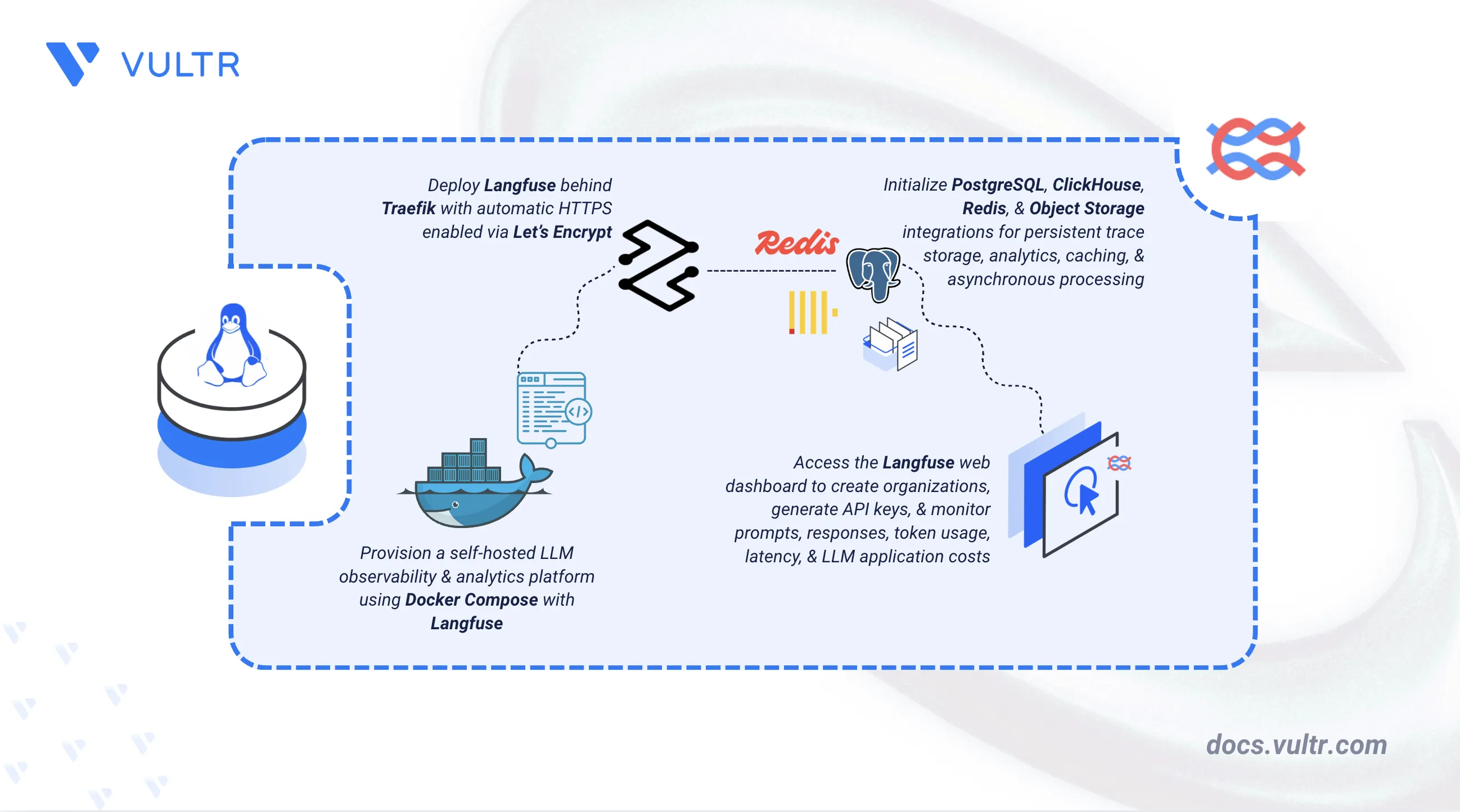
How to Deploy Langfuse - Open-Source LLM Observability Platform header image

Langfuse is an open-source observability platform for applications powered by Large Language Models (LLMs). It traces prompts and responses, monitors token usage and costs, and provides analytics for debugging AI workflows in production. Langfuse helps developers optimize LLM application performance and control operational expenses.

This article explains how to deploy Langfuse on a Linux server using Docker Compose with Object Storage for trace data persistence and a Traefik reverse proxy that provisions an HTTPS certificate through Let's Encrypt.

Prerequisites

Before you begin, you need to:

Set Up the Directory Structure and Environment Variables

Langfuse requires environment variables for domain configuration, database credentials, encryption keys, and Object Storage access.

  1. Create the project directory with subdirectories for persistent data.

    console
    $ mkdir -p ~/langfuse/{letsencrypt,postgres,clickhouse-data,clickhouse-logs,redis}
    
    • letsencrypt: Stores SSL/TLS certificates.
    • postgres: Persists PostgreSQL database files.
    • clickhouse-data: Persists ClickHouse analytics data.
    • clickhouse-logs: Stores ClickHouse server logs.
    • redis: Persists Redis data.
  2. Navigate to the project directory.

    console
    $ cd ~/langfuse
    
  3. ClickHouse runs as UID 101 inside the container. Set matching ownership on its host directories so the container can write to them.

    console
    $ sudo chown -R 101:101 clickhouse-data clickhouse-logs
    
  4. Generate secure secrets for the application. Run this command six times and save each output for use in the environment file.

    console
    $ openssl rand -hex 32
    

    The first three values are for SALT, ENCRYPTION_KEY, and NEXTAUTH_SECRET. The remaining three are for POSTGRES_PASSWORD, CLICKHOUSE_PASSWORD, and REDIS_AUTH.

  5. Create an .env file to store configuration values.

    console
    $ nano .env
    
  6. Add the following environment variables. Replace langfuse.example.com with your domain, admin@example.com with your email, the GENERATED_SECRET_* placeholders with the six secrets you generated, and the Object Storage placeholders with your bucket credentials. In DATABASE_URL, use the same value as POSTGRES_PASSWORD.

    ini
    # Domain and HTTPS Configuration
    DOMAIN=langfuse.example.com
    LETSENCRYPT_EMAIL=admin@example.com
    NEXTAUTH_URL=https://langfuse.example.com
    
    # Langfuse Secrets
    SALT=GENERATED_SECRET_1
    ENCRYPTION_KEY=GENERATED_SECRET_2
    NEXTAUTH_SECRET=GENERATED_SECRET_3
    
    # PostgreSQL Configuration
    POSTGRES_USER=langfuse
    POSTGRES_PASSWORD=GENERATED_SECRET_4
    POSTGRES_DB=langfuse
    DATABASE_URL=postgresql://langfuse:GENERATED_SECRET_4@postgres:5432/langfuse
    
    # ClickHouse Configuration
    CLICKHOUSE_USER=langfuse
    CLICKHOUSE_PASSWORD=GENERATED_SECRET_5
    CLICKHOUSE_MIGRATION_URL=clickhouse://clickhouse:9000
    CLICKHOUSE_URL=http://clickhouse:8123
    
    # Redis Configuration
    REDIS_HOST=redis
    REDIS_PORT=6379
    REDIS_AUTH=GENERATED_SECRET_6
    
    # Object Storage Configuration
    S3_BUCKET=YOUR_BUCKET_NAME
    S3_REGION=YOUR_REGION
    S3_ENDPOINT=https://YOUR_S3_ENDPOINT
    S3_ACCESS_KEY=YOUR_ACCESS_KEY
    S3_SECRET_KEY=YOUR_SECRET_KEY
    
    # Application Configuration
    TELEMETRY_ENABLED=true
    LANGFUSE_ENABLE_EXPERIMENTAL_FEATURES=false
    
    Note
    The TELEMETRY_ENABLED=true setting allows Langfuse to send anonymous usage statistics to help improve Langfuse. No sensitive data, prompts, or trace content is transmitted. Set this to false if your organization has strict data retention policies or compliance requirements.

    Save and close the file.

Deploy Langfuse with Docker Compose

The deployment stack runs six containerized services that work together to provide the complete Langfuse observability platform. Traefik handles HTTPS and automatic certificate provisioning through Let's Encrypt, while PostgreSQL, ClickHouse, and Redis provide data persistence, analytics, and caching. Langfuse consists of two services: the web application and a background worker for asynchronous processing. Object Storage handles trace data, media uploads, and batch exports. This configuration is based on the official Langfuse Docker Compose examples.

  1. Create the Docker Compose manifest file.

    console
    $ nano docker-compose.yml
    
  2. Add the following contents:

    yaml
    services:
      traefik:
        image: traefik:v3.7.0
        container_name: traefik
        restart: unless-stopped
        environment:
          DOCKER_API_VERSION: "1.44"
        command:
          - "--providers.docker=true"
          - "--providers.docker.exposedbydefault=false"
          - "--entrypoints.web.address=:80"
          - "--entrypoints.websecure.address=:443"
          - "--entrypoints.web.http.redirections.entrypoint.to=websecure"
          - "--entrypoints.web.http.redirections.entrypoint.scheme=https"
          - "--certificatesresolvers.le.acme.httpchallenge=true"
          - "--certificatesresolvers.le.acme.httpchallenge.entrypoint=web"
          - "--certificatesresolvers.le.acme.email=${LETSENCRYPT_EMAIL}"
          - "--certificatesresolvers.le.acme.storage=/letsencrypt/acme.json"
        ports:
          - "80:80"
          - "443:443"
        volumes:
          - /var/run/docker.sock:/var/run/docker.sock:ro
          - ./letsencrypt:/letsencrypt
    
      postgres:
        image: postgres:17
        container_name: langfuse-postgres
        restart: unless-stopped
        environment:
          POSTGRES_USER: ${POSTGRES_USER}
          POSTGRES_PASSWORD: ${POSTGRES_PASSWORD}
          POSTGRES_DB: ${POSTGRES_DB}
          TZ: UTC
          PGTZ: UTC
        ports:
          - "127.0.0.1:5432:5432"
        volumes:
          - ./postgres:/var/lib/postgresql/data
        healthcheck:
          test: ["CMD-SHELL", "pg_isready -U ${POSTGRES_USER}"]
          interval: 3s
          timeout: 3s
          retries: 10
    
      clickhouse:
        image: clickhouse/clickhouse-server:26.5.1-alpine
        container_name: langfuse-clickhouse
        restart: unless-stopped
        user: "101:101"
        environment:
          CLICKHOUSE_DB: default
          CLICKHOUSE_USER: ${CLICKHOUSE_USER}
          CLICKHOUSE_PASSWORD: ${CLICKHOUSE_PASSWORD}
        ports:
          - "127.0.0.1:8123:8123"
          - "127.0.0.1:9000:9000"
        volumes:
          - ./clickhouse-data:/var/lib/clickhouse
          - ./clickhouse-logs:/var/log/clickhouse-server
        healthcheck:
          test: wget --no-verbose --tries=1 --spider http://127.0.0.1:8123/ping || exit 1
          interval: 5s
          timeout: 5s
          retries: 10
          start_period: 1s
    
      redis:
        image: redis:7-alpine
        container_name: langfuse-redis
        restart: unless-stopped
        command: >
          --requirepass ${REDIS_AUTH}
          --maxmemory-policy noeviction
        ports:
          - "127.0.0.1:6379:6379"
        volumes:
          - ./redis:/data
        healthcheck:
          test: ["CMD", "redis-cli", "--raw", "incr", "ping"]
          interval: 3s
          timeout: 10s
          retries: 10
    
      langfuse-worker:
        image: langfuse/langfuse-worker:3
        container_name: langfuse-worker
        restart: unless-stopped
        depends_on:
          postgres:
            condition: service_healthy
          redis:
            condition: service_healthy
          clickhouse:
            condition: service_healthy
        ports:
          - "127.0.0.1:3030:3030"
        environment:
          DATABASE_URL: ${DATABASE_URL}
          NEXTAUTH_URL: ${NEXTAUTH_URL}
          SALT: ${SALT}
          ENCRYPTION_KEY: ${ENCRYPTION_KEY}
          TELEMETRY_ENABLED: ${TELEMETRY_ENABLED}
          LANGFUSE_ENABLE_EXPERIMENTAL_FEATURES: ${LANGFUSE_ENABLE_EXPERIMENTAL_FEATURES}
    
          CLICKHOUSE_MIGRATION_URL: ${CLICKHOUSE_MIGRATION_URL}
          CLICKHOUSE_URL: ${CLICKHOUSE_URL}
          CLICKHOUSE_USER: ${CLICKHOUSE_USER}
          CLICKHOUSE_PASSWORD: ${CLICKHOUSE_PASSWORD}
          CLICKHOUSE_CLUSTER_ENABLED: "false"
    
          REDIS_HOST: ${REDIS_HOST}
          REDIS_PORT: ${REDIS_PORT}
          REDIS_AUTH: ${REDIS_AUTH}
          REDIS_TLS_ENABLED: "false"
    
          LANGFUSE_S3_EVENT_UPLOAD_BUCKET: ${S3_BUCKET}
          LANGFUSE_S3_EVENT_UPLOAD_REGION: ${S3_REGION}
          LANGFUSE_S3_EVENT_UPLOAD_ACCESS_KEY_ID: ${S3_ACCESS_KEY}
          LANGFUSE_S3_EVENT_UPLOAD_SECRET_ACCESS_KEY: ${S3_SECRET_KEY}
          LANGFUSE_S3_EVENT_UPLOAD_ENDPOINT: ${S3_ENDPOINT}
          LANGFUSE_S3_EVENT_UPLOAD_FORCE_PATH_STYLE: "true"
          LANGFUSE_S3_EVENT_UPLOAD_PREFIX: "events/"
    
          LANGFUSE_S3_MEDIA_UPLOAD_BUCKET: ${S3_BUCKET}
          LANGFUSE_S3_MEDIA_UPLOAD_REGION: ${S3_REGION}
          LANGFUSE_S3_MEDIA_UPLOAD_ACCESS_KEY_ID: ${S3_ACCESS_KEY}
          LANGFUSE_S3_MEDIA_UPLOAD_SECRET_ACCESS_KEY: ${S3_SECRET_KEY}
          LANGFUSE_S3_MEDIA_UPLOAD_ENDPOINT: ${S3_ENDPOINT}
          LANGFUSE_S3_MEDIA_UPLOAD_FORCE_PATH_STYLE: "true"
          LANGFUSE_S3_MEDIA_UPLOAD_PREFIX: "media/"
    
          LANGFUSE_S3_BATCH_EXPORT_ENABLED: "true"
          LANGFUSE_S3_BATCH_EXPORT_BUCKET: ${S3_BUCKET}
          LANGFUSE_S3_BATCH_EXPORT_REGION: ${S3_REGION}
          LANGFUSE_S3_BATCH_EXPORT_ACCESS_KEY_ID: ${S3_ACCESS_KEY}
          LANGFUSE_S3_BATCH_EXPORT_SECRET_ACCESS_KEY: ${S3_SECRET_KEY}
          LANGFUSE_S3_BATCH_EXPORT_ENDPOINT: ${S3_ENDPOINT}
          LANGFUSE_S3_BATCH_EXPORT_EXTERNAL_ENDPOINT: ${S3_ENDPOINT}
          LANGFUSE_S3_BATCH_EXPORT_FORCE_PATH_STYLE: "true"
          LANGFUSE_S3_BATCH_EXPORT_PREFIX: "exports/"
    
      langfuse-web:
        image: langfuse/langfuse:3
        container_name: langfuse-web
        restart: unless-stopped
        depends_on:
          postgres:
            condition: service_healthy
          redis:
            condition: service_healthy
          clickhouse:
            condition: service_healthy
        ports:
          - "3000:3000"
        environment:
          DATABASE_URL: ${DATABASE_URL}
          NEXTAUTH_URL: ${NEXTAUTH_URL}
          NEXTAUTH_SECRET: ${NEXTAUTH_SECRET}
          SALT: ${SALT}
          ENCRYPTION_KEY: ${ENCRYPTION_KEY}
          TELEMETRY_ENABLED: ${TELEMETRY_ENABLED}
          LANGFUSE_ENABLE_EXPERIMENTAL_FEATURES: ${LANGFUSE_ENABLE_EXPERIMENTAL_FEATURES}
    
          CLICKHOUSE_MIGRATION_URL: ${CLICKHOUSE_MIGRATION_URL}
          CLICKHOUSE_URL: ${CLICKHOUSE_URL}
          CLICKHOUSE_USER: ${CLICKHOUSE_USER}
          CLICKHOUSE_PASSWORD: ${CLICKHOUSE_PASSWORD}
          CLICKHOUSE_CLUSTER_ENABLED: "false"
    
          REDIS_HOST: ${REDIS_HOST}
          REDIS_PORT: ${REDIS_PORT}
          REDIS_AUTH: ${REDIS_AUTH}
          REDIS_TLS_ENABLED: "false"
    
          LANGFUSE_S3_EVENT_UPLOAD_BUCKET: ${S3_BUCKET}
          LANGFUSE_S3_EVENT_UPLOAD_REGION: ${S3_REGION}
          LANGFUSE_S3_EVENT_UPLOAD_ACCESS_KEY_ID: ${S3_ACCESS_KEY}
          LANGFUSE_S3_EVENT_UPLOAD_SECRET_ACCESS_KEY: ${S3_SECRET_KEY}
          LANGFUSE_S3_EVENT_UPLOAD_ENDPOINT: ${S3_ENDPOINT}
          LANGFUSE_S3_EVENT_UPLOAD_FORCE_PATH_STYLE: "true"
          LANGFUSE_S3_EVENT_UPLOAD_PREFIX: "events/"
    
          LANGFUSE_S3_MEDIA_UPLOAD_BUCKET: ${S3_BUCKET}
          LANGFUSE_S3_MEDIA_UPLOAD_REGION: ${S3_REGION}
          LANGFUSE_S3_MEDIA_UPLOAD_ACCESS_KEY_ID: ${S3_ACCESS_KEY}
          LANGFUSE_S3_MEDIA_UPLOAD_SECRET_ACCESS_KEY: ${S3_SECRET_KEY}
          LANGFUSE_S3_MEDIA_UPLOAD_ENDPOINT: ${S3_ENDPOINT}
          LANGFUSE_S3_MEDIA_UPLOAD_FORCE_PATH_STYLE: "true"
          LANGFUSE_S3_MEDIA_UPLOAD_PREFIX: "media/"
    
          LANGFUSE_S3_BATCH_EXPORT_ENABLED: "true"
          LANGFUSE_S3_BATCH_EXPORT_BUCKET: ${S3_BUCKET}
          LANGFUSE_S3_BATCH_EXPORT_REGION: ${S3_REGION}
          LANGFUSE_S3_BATCH_EXPORT_ACCESS_KEY_ID: ${S3_ACCESS_KEY}
          LANGFUSE_S3_BATCH_EXPORT_SECRET_ACCESS_KEY: ${S3_SECRET_KEY}
          LANGFUSE_S3_BATCH_EXPORT_ENDPOINT: ${S3_ENDPOINT}
          LANGFUSE_S3_BATCH_EXPORT_EXTERNAL_ENDPOINT: ${S3_ENDPOINT}
          LANGFUSE_S3_BATCH_EXPORT_FORCE_PATH_STYLE: "true"
          LANGFUSE_S3_BATCH_EXPORT_PREFIX: "exports/"
        labels:
          - "traefik.enable=true"
          - "traefik.http.routers.langfuse.rule=Host(`${DOMAIN}`)"
          - "traefik.http.routers.langfuse.entrypoints=websecure"
          - "traefik.http.routers.langfuse.tls=true"
          - "traefik.http.routers.langfuse.tls.certresolver=le"
          - "traefik.http.services.langfuse.loadbalancer.server.port=3000"
    

    Save and close the file.

    In the above manifest:

    • services: Launches six containers managed by Docker Compose:
      • traefik: Serves as the reverse proxy and TLS termination point with automatic Let's Encrypt certificate provisioning.
      • postgres: Stores Langfuse metadata including users, projects, and trace information in a persistent database.
      • clickhouse: Provides the analytics database for time-series trace data and metrics queries.
      • redis: Handles caching and background job queue management.
      • langfuse-worker: Processes trace data asynchronously and manages batch exports to Object Storage.
      • langfuse-web: Runs the main web application and API interface.
    • environment: Configures database credentials, encryption keys, and Object Storage settings. The LANGFUSE_S3_* variables connect Langfuse to Object Storage for storing trace events, media uploads, and batch exports.
    • depends_on: Ensures Langfuse services start only after database containers become healthy.
    • labels (langfuse-web): Registers the web service with Traefik for HTTPS routing on the configured domain.
    • volumes: Named volumes persist data for PostgreSQL, ClickHouse, Redis, and Let's Encrypt certificates across container restarts.
    • restart: unless-stopped: Enables automatic recovery after failures or server reboots.
  3. Start the services.

    console
    $ docker compose up -d
    
  4. Verify all containers are running.

    console
    $ docker compose ps -a
    

    The output displays six running containers in an Up state, with a healthy status shown for postgres, clickhouse, and redis, since those are the only services with a configured health check.

  5. View the service logs to confirm all components started successfully.

    console
    $ docker compose logs
    

    For more information on managing a Docker Compose stack, see the How To Use Docker Compose article.

Access and Configure Langfuse

Langfuse provides a web-based dashboard for managing projects, viewing traces, and generating API keys.

  1. Open a web browser and navigate to https://langfuse.example.com, replacing langfuse.example.com with your configured domain.

    Langfuse Welcome Page

    The Langfuse welcome page displays signup and login options.

  2. On the Langfuse welcome page, click Sign up to create an administrator account.

  3. Enter your email address and password, then click Sign up.

  4. After signing in, create a new organization. Enter your organization name (for example, My Company) and click Create Organization.

  5. Create a new project within the organization. Enter your project name (for example, Production LLM) and click Create Project.

  6. Langfuse displays a setup wizard for your new project. Click Create API keys to generate authentication credentials.

  7. Copy and securely store both the Secret Key (starting with sk-lf-) and Public Key (starting with pk-lf-). The secret key is only displayed once and cannot be retrieved later.

Your Langfuse instance is now configured and ready to receive trace data from your applications.

Application Use Case

Langfuse tracks LLM interactions by logging prompts, responses, and metadata to the server. The following example demonstrates sending a test trace to verify the deployment.

  1. Install the Python virtual environment package.

    console
    $ sudo apt install python3-venv -y
    
  2. Create a virtual environment.

    console
    $ python3 -m venv langfuse-env
    
  3. Activate the virtual environment.

    console
    $ source langfuse-env/bin/activate
    
  4. Install the required Python packages.

    console
    $ pip install langfuse openai
    
  5. Create a test script.

    console
    $ nano test_langfuse.py
    
  6. Add the following code. Replace YOUR_LLM_API_KEY with an API key from your LLM provider. This example uses Groq's API endpoint. For other providers, adjust the base_url parameter.

    python
    from langfuse.openai import openai
    
    # Initialize OpenAI-compatible client
    client = openai.OpenAI(
        api_key="YOUR_LLM_API_KEY",
        base_url="https://api.groq.com/openai/v1"
    )
    
    # Send a chat completion request
    response = client.chat.completions.create(
        model="openai/gpt-oss-120b",
        messages=[
            {"role": "system", "content": "You are a helpful assistant."},
            {"role": "user", "content": "Explain Langfuse in one sentence."}
        ],
        temperature=0.7,
        max_tokens=100
    )
    
    print(response.choices[0].message.content)
    

    Save and close the file.

  7. Set environment variables for Langfuse authentication. Replace YOUR_SECRET_KEY, YOUR_PUBLIC_KEY, and langfuse.example.com with your actual API keys and domain name.

    console
    $ export LANGFUSE_SECRET_KEY="YOUR_SECRET_KEY"
    $ export LANGFUSE_PUBLIC_KEY="YOUR_PUBLIC_KEY"
    $ export LANGFUSE_HOST="https://langfuse.example.com"
    
  8. Run the test script.

    console
    $ python test_langfuse.py
    

    The script sends a request to the LLM provider, and the Langfuse SDK automatically captures and forwards the trace to your Langfuse instance.

  9. Open the Langfuse web interface at your configured domain and navigate to the Traces page in your project.

    Langfuse Traces Page

  10. The Traces page displays captured traces. Click the trace to view detailed information.

    Langfuse Trace Details

    The trace details show model name, token usage, latency, cost estimate, and the full request/response conversation.

Conclusion

You have successfully deployed Langfuse on a Linux server using Docker Compose with Object Storage for trace data persistence and Traefik providing automatic HTTPS through Let's Encrypt. The deployment provides a fully functional LLM observability platform accessible securely over a custom domain with persistent storage for PostgreSQL, ClickHouse, and Redis data. You can now integrate Langfuse with your production LLM applications to monitor prompts, responses, token usage, and costs. For more information on advanced features and integrations, refer to the official Langfuse documentation.

Comments



