How to Deploy Instant – Open-Source Firebase Alternative
Instant is an open-source, real-time backend platform for web applications. It provides a client-side database with built-in support for authentication, relational queries, transactions, file storage, and real-time data synchronization. Instant serves as a self-hosted alternative to Firebase and removes the need to manage custom backend APIs or WebSocket infrastructure.
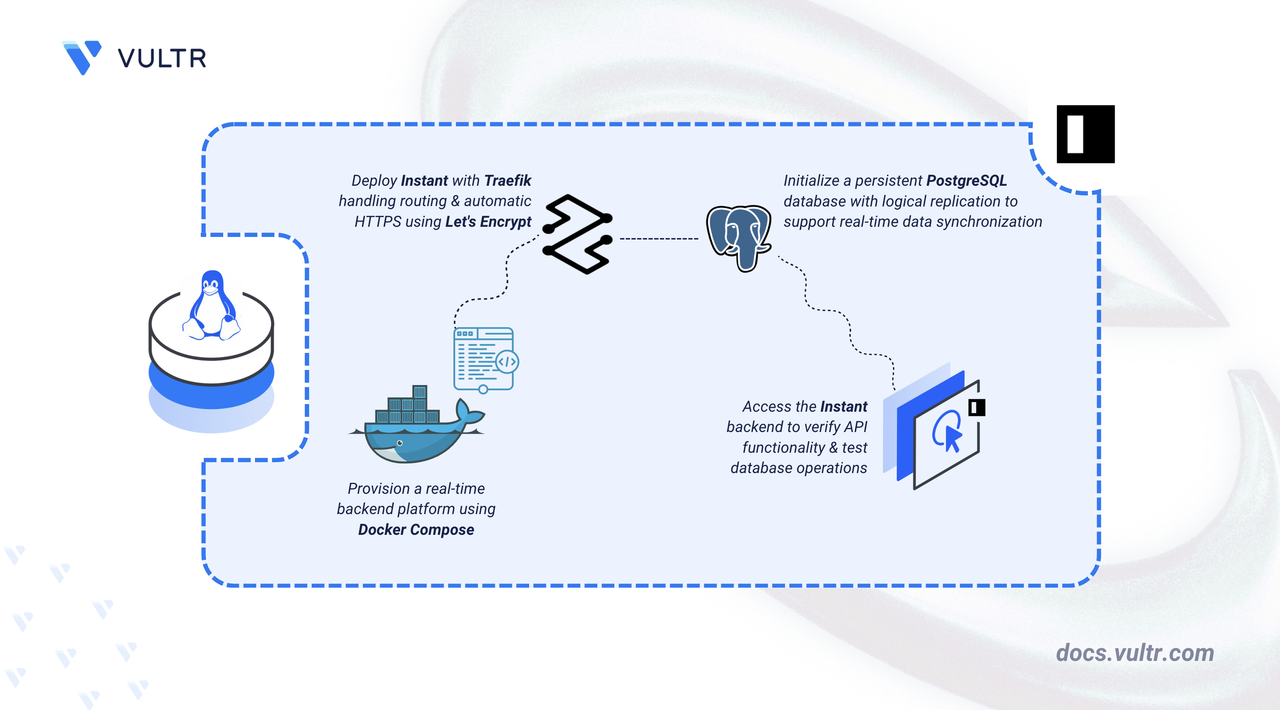
This article explains how to deploy Instant on a Linux server using Docker Compose. It covers directory setup, environment configuration, Traefik reverse proxy integration for automatic HTTPS, and backend API verification using a sample database workflow.
Prerequisites
Before you begin, you need to:
- Have access to a Linux-based server (with at least 2 CPU cores and 4 GB of RAM) as a non-root user with sudo privileges.
- Install Docker and Docker Compose.
- Create a DNS A record pointing to your server's IP address (for example,
instant.example.com).
Set Up the Directory Structure, Configuration, and Environment Variables
Instant runs as a containerized backend service built from the official source repository. The project directory stores the source code, Docker Compose configuration, and environment variables.
Create a project directory for Instant and navigate into it.
CONSOLEClone the official Instant repository. InstantDB does not publish pre-built Docker images or versioned releases, so the server is built from source using the official repository.
CONSOLEThe repository is cloned into a folder named
appto keep the project path clean.Navigate to the server directory.
CONSOLERename the default
docker-compose.ymlfile to keep it as a backup.CONSOLECreate the environment configuration file.
CONSOLEAdd the following configuration:
INIReplace the placeholders:
- instant.example.com: Your registered domain name.
- admin@example.com: Your email address for Let's Encrypt notifications.
- YOUR_DATABASE_PASSWORD: A strong password for the PostgreSQL database.
Save and close the file.
Deploy with Docker Compose
The deployment stack consists of three services: Traefik handles reverse proxy and automatic TLS certificate management via Let's Encrypt, PostgreSQL stores application data with logical replication enabled, and the Instant server runs the backend application.
Create the Docker Compose configuration file.
CONSOLEAdd the following configuration:
YAMLSave and close the file.
In the above manifest:
- services: Launches three containers managed by Docker Compose:
- traefik: Functions as the reverse proxy and TLS termination point.
- postgres: Runs the Instant-specific PostgreSQL image with required extensions.
- server: Builds and runs the Instant backend application.
- image: Defines which container image each service uses. The PostgreSQL image is maintained by InstantDB and includes the
pg_hint_planextension required for query optimization. - container_name: Assigns predictable names to containers, simplifying log inspection and management commands.
- command (Traefik): Establishes Traefik's operational parameters: Docker provider integration, HTTP and HTTPS entry points, automatic redirection from HTTP to HTTPS, and Let's Encrypt certificate acquisition.
- command (PostgreSQL): Enables logical replication and performance tuning parameters required by Instant for real-time data synchronization.
- build (server): Builds the Instant backend image from the Dockerfile in the repository.
- depends_on: Ensures the server starts only after PostgreSQL reports a healthy state.
- expose (server): Makes port
8888available internally for Traefik routing without exposing it directly to the host network. - volumes:
- The
./postgres-databind mount stores database files on the host persistently. - The
./letsencryptbind mount retains TLS certificates between container restarts. - The Docker socket mount (
/var/run/docker.sock) enables Traefik to detect and configure routes for running containers automatically.
- The
- labels (server): Instructs Traefik to route HTTPS traffic for the configured domain to the Instant backend on port
8888. - healthcheck: Verifies PostgreSQL readiness before the backend starts.
- restart: unless-stopped: Configures containers to restart automatically after crashes or server reboots, unless explicitly stopped.
- services: Launches three containers managed by Docker Compose:
Start the containers in detached mode.
CONSOLEThe
--buildflag builds the Instant server image from source on first run.Verify that all containers are running.
CONSOLEThe output displays three running containers with Traefik listening on ports 80 and 443, PostgreSQL reporting a healthy status, and the Instant server exposing port 8888.
View the logs for the services.
CONSOLEThe output shows PostgreSQL initialization messages, the Instant server startup sequence, and Traefik registering routes for the configured domain.
For more information on managing a Docker Compose stack, see the How to Use Docker Compose article.
Access and Configure Instant
The Instant backend exposes a REST API for application management and real-time data operations. Traefik routes HTTPS traffic to the backend and automatically provisions TLS certificates from Let's Encrypt.
Verify that the Instant backend is accessible. Replace
instant.example.comwith your configured domain name.CONSOLEOutput:
Note
The backend completes initialization after the containers start. If the curl command returns a connection error, wait a few moments for initialization to complete and run the command again. Let's Encrypt certificate provisioning may also take up to a minute on first access.
Open your web browser and navigate to
https://instant.example.com, replacinginstant.example.comwith your configured domain name.The page displays the welcome message, confirming HTTPS routing through Traefik is working correctly.
Verify Database Connectivity
Instant uses PostgreSQL as its persistent store for application data. The following steps confirm database connectivity and query functionality by creating a test table, inserting sample data, and querying it from the PostgreSQL container.
Connect to the PostgreSQL container.
CONSOLEThe prompt changes to
instant=#on successful connection.Create a sample table.
PSQLInsert test records into the table.
PSQLOutput:
Query the stored data.
PSQLThe output displays both inserted rows with their auto-generated IDs and timestamps reflecting the current time.
Exit the database shell.
PSQLReview the backend logs to confirm that the server is running without errors.
CONSOLEThe logs display initialization messages and confirm the server is accepting connections.
Conclusion
You have successfully deployed Instant on your Linux server using Docker Compose with PostgreSQL as the backend database and Traefik for automatic HTTPS. The setup provides a self-hosted real-time backend platform with persistent storage, authentication support, and relational query capabilities. Instant eliminates the need for custom backend APIs and WebSocket infrastructure while providing Firebase-like functionality. For advanced configuration, client SDK integration, and API reference, refer to the official Instant documentation.
Tags:Open Source


0 Comments
Be the first to comment and share your perspective with the community.