How to Deploy LocalAI – Self-Hosted AI Model Management Platform
LocalAI is an open-source platform that enables running Large Language Models (LLMs) and other AI models locally without relying on external APIs. It provides an OpenAI-compatible API, allowing integration of AI capabilities into existing applications while maintaining full control over infrastructure, data privacy, and operational costs.
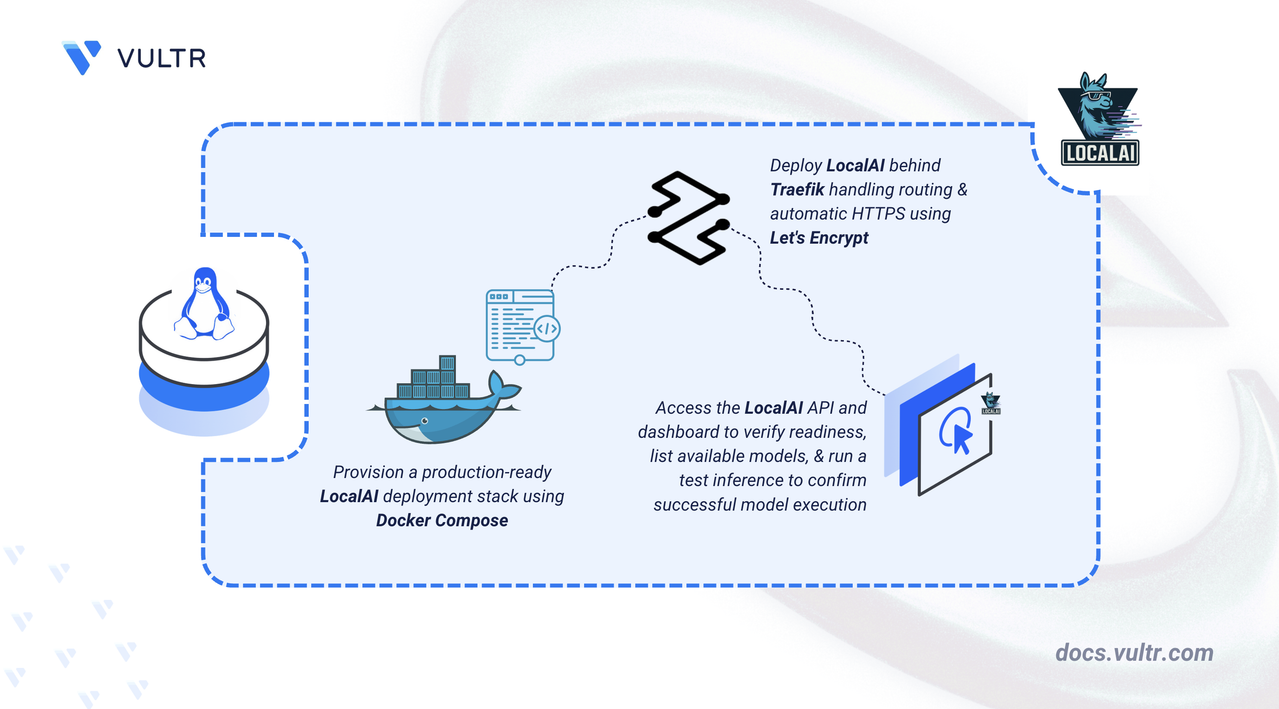
This article explains how to deploy LocalAI on a Linux server using Docker Compose and secure the API endpoint using a Traefik reverse proxy with HTTPS.
Prerequisites
Before you begin, you need to:
- Have access to a Linux-based server as a non-root user with sudo privileges.
- Install Docker and Docker Compose.
- Create a DNS A record, such as
localai.example.com, pointing to your server's IP address.
Set Up the Directory Structure and Environment Variables
LocalAI stores model files and cache data on disk and relies on environment variables for domain and TLS configuration. This section prepares the required directory structure for Docker Compose.
Create the project folders.
CONSOLEmodels: Stores downloaded AI model files used by LocalAI for inference.cache: Persists temporary data and intermediate files across container restarts.
Navigate to the project directory.
CONSOLECreate an
.envfile to store your domain and certificate configurations.CONSOLEAdd the following values:
INIReplace the placeholders with your own values:
localai.example.com: Domain for the LocalAI API endpoint.admin@example.com: Email address for Let's Encrypt notifications.
Save and close the file.
Deploy with Docker Compose
The deployment stack exposes the LocalAI API securely over HTTPS on the configured domain, with Traefik handling TLS termination and automatic certificate provisioning through Let's Encrypt.
Add your user account to the Docker user group.
CONSOLEApply the new group membership.
CONSOLECreate the Docker Compose manifest file.
CONSOLEAdd the following contents:
YAMLSave and close the file.
Note
The configuration above uses the
latest-aio-cpuimage for minimal CPU-based serving, suitable for any CPU-only environment. If GPU acceleration is available, replace the container image with the appropriate GPU-enabled variant and add the required runtime values for your GPU. For details, see the LocalAI GPU acceleration documentation.This Docker Compose configuration deploys LocalAI and exposes it securely over HTTPS using Traefik. The setup routes all traffic through a single domain while keeping TLS management centralized in Traefik.
localaiservice- Runs the official
localai/localaiimage with thelatest-aio-cputag, which includes all built-in models optimized for CPU inference. - Exposes an internal port 8080 for the OpenAI-compatible API endpoint.
- Uses two persistent volume mounts:
./models:/models: Stores downloaded AI model files across container restarts../cache:/cache: Persists temporary data and intermediate files. The:cachedflag optimizes file system performance for read-heavy workloads.
- Includes a health check that monitors the
/readyzendpoint, allowing Docker to track service availability. - Traefik discovers LocalAI automatically using Docker labels. A single HTTPS router is defined:
- Routes traffic for
${DOMAIN}to LocalAI's API on port 8080. - Listens on the
websecureentrypoint. - Uses Let's Encrypt (
le) to automatically obtain and renew TLS certificates.
- Routes traffic for
traefikservice- Acts as the reverse proxy and TLS terminator for LocalAI.
- Listens on ports 80 and 443 on the host.
- Automatically redirects HTTP traffic to HTTPS.
- Stores Let's Encrypt ACME certificates in the
./letsencryptdirectory. - Uses the Docker socket (read-only) to discover services and apply routing rules dynamically.
- Runs the official
Set read permissions on the models directory so all processes inside the container can access downloaded model files.
CONSOLEWhen downloading models through the dashboard or API, the container writes model files as root. The above permissions ensures the directory and its contents remain readable and executable by all processes, while restricting write access to the owner.
Start the services.
CONSOLEVerify the containers are running.
CONSOLEThe output displays two running containers with Traefik listening on ports 80 and 443.
Note
For more information on managing a Docker Compose stack, see the How to Use Docker Compose article.
Access and Verify LocalAI
LocalAI exposes a readiness endpoint to confirm the API server is operational. Traefik routes all HTTPS traffic on the configured domain to the LocalAI container.
Check the readiness endpoint. Replace
localai.example.comwith your configured domain name.CONSOLEThe
200 OKresponse confirms that Traefik is routing traffic correctly and the LocalAI service is ready to accept requests.Open your web browser and navigate to
https://localai.example.com, replacinglocalai.example.comwith your configured domain name.The LocalAI dashboard provides access to the model gallery, installed models, and the inference interface.
Load a Model and Run a Test Inference
The LocalAI All-in-One (AIO) image includes pre-loaded models. Verify model availability and run a test inference to confirm the pipeline is operational.
List available models. Replace
localai.example.comwith your configured domain name.CONSOLEThe output lists all models loaded and available to the LocalAI instance.
Run a test inference using the chat completions endpoint. Replace
localai.example.comwith your configured domain name.CONSOLEOutput:
The response confirms that a model is loaded, the LocalAI API is operational, and the server processes inference requests successfully over HTTPS.
Conclusion
You have successfully deployed LocalAI on a Linux server using Docker Compose with Traefik providing automatic HTTPS through Let's Encrypt. The deployment provides a fully functional, OpenAI-compatible API accessible securely over a custom domain with persistent storage for models and cache data. For more information, refer to the official LocalAI documentation.
Tags:AI Models


0 Comments
Be the first to comment and share your perspective with the community.