How to List Running Containers in Docker
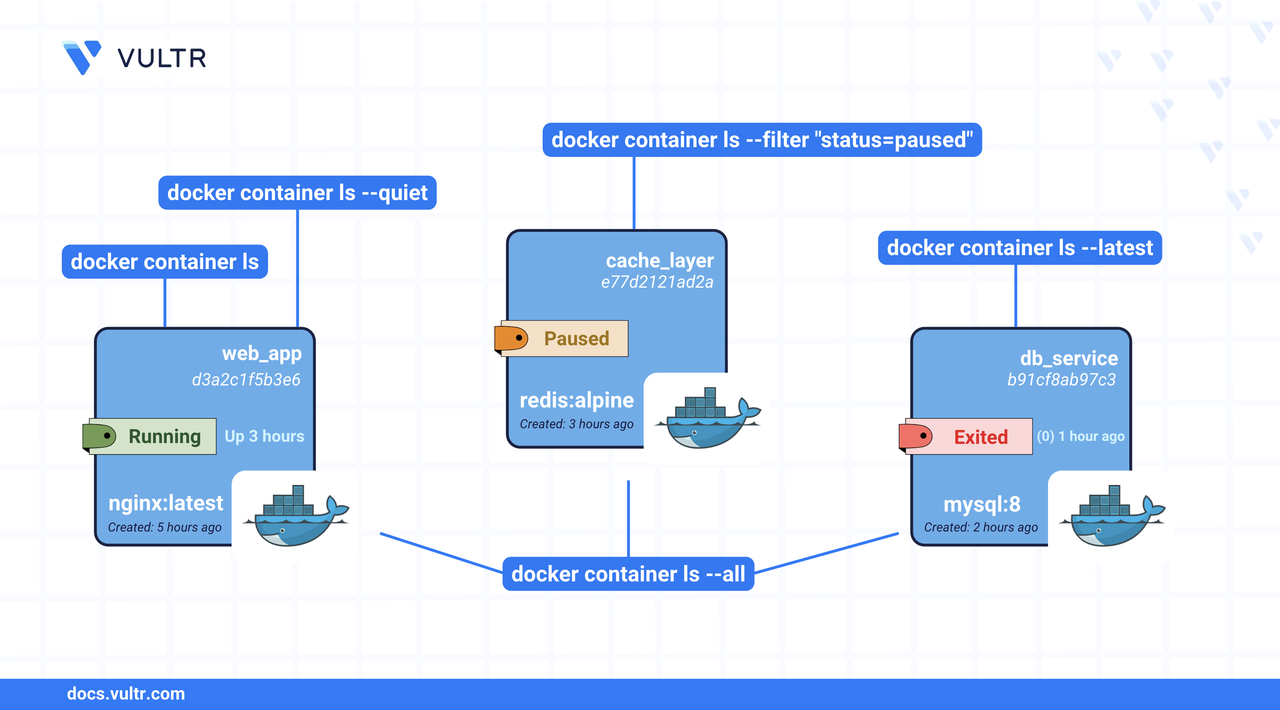
Docker containers are lightweight, standalone environments that contain everything needed to run an application—code, runtime, libraries, and dependencies. A common task in container management is to list the containers and check essential fields such as STATUS, PORTS, IMAGE, and others.
This article shows how to list containers in Docker.
The Short Answer
The main command to list containers is docker container ls. Here is a quick reference of the most commonly used commands to list containers in Docker.
docker container ls Command Syntax
Below is the command syntax to list containers in Docker.
- The
[OPTIONS]are the optional flags that modify the command behavior.
Common Options
These options can be combined or modified to tailor the output for your specific administrative tasks.
Command Usage
List all containers.
CONSOLEThis command lists all containers, including those not running, giving you a complete overview of container history.
View newly created containers.
CONSOLEThis shows the latest created container. It can help debug or track the last step in a deployment pipeline.
Filter containers by name or status.
CONSOLEList the containers in a custom output format.
CONSOLEThis command shows the specified fields of the containers.
View the size of all the containers.
CONSOLEThis command helps you to diagnose disk space usage by containers.
Conclusion
In this article, you learned how to list containers using Docker CLI commands. You explored different command options to list all containers, filter by status or name, check container resource usage, and format output. These commands help to check container visibility and system health. For more information, visit the Docker container ls reference page.
Tags:Docker




0 Comments
Be the first to comment and share your perspective with the community.